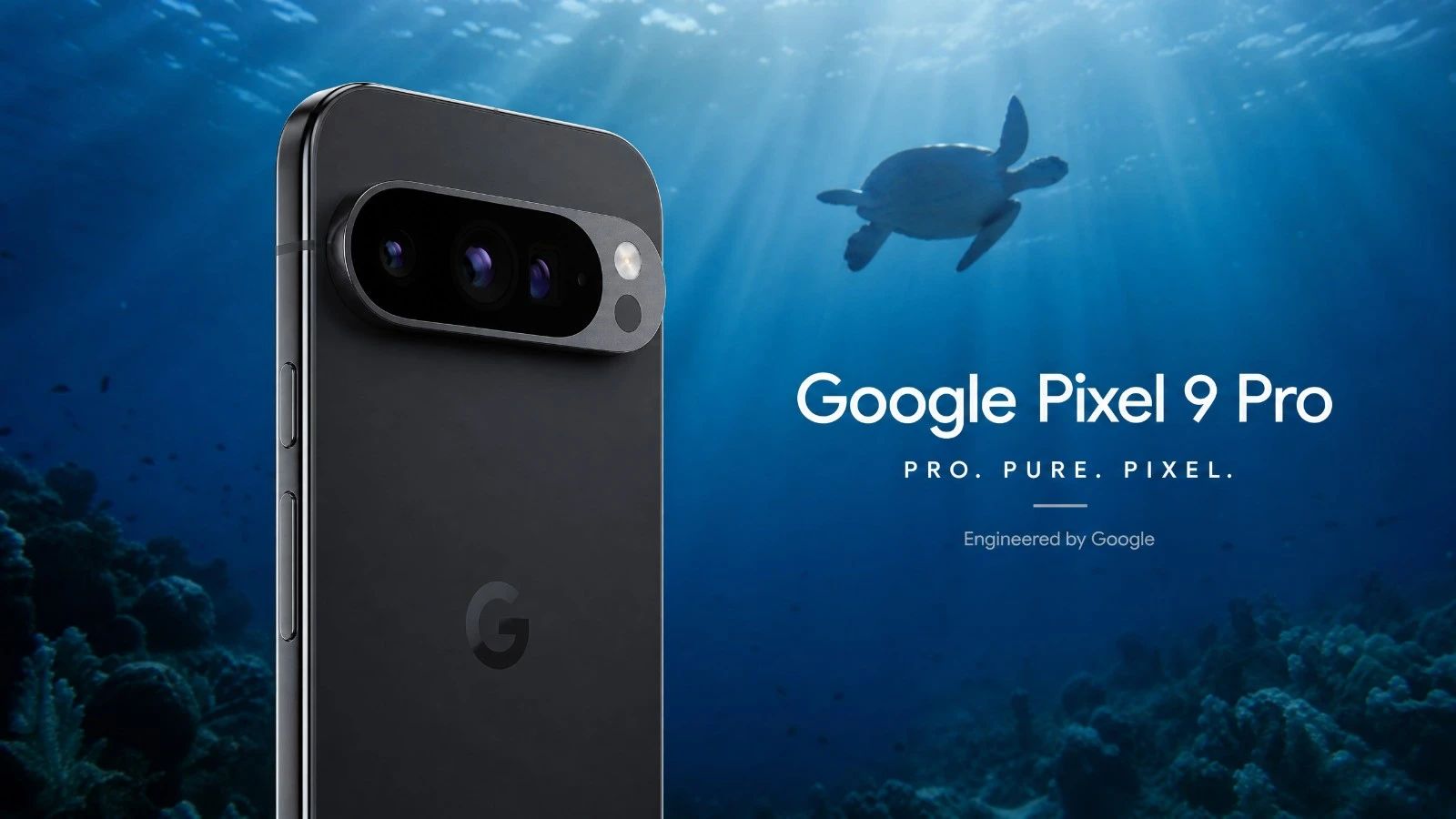
Is the Google Pixel 9 Pro suitable for underwater photography?
Yes, the Google Pixel 9 Pro is an excellent choice for underwater photography in natural light. Its advanced image processing and ability to handle colors underwater make it very effective.
What underwater housing is suitable for the Google Pixel 9 Pro when diving?
The Divevolk SeaTouch 4 Max is the recommended housing for the Google Pixel 9 Pro. It provides reliable protection and full access to the phone's features while underwater.
Does the Google Pixel 9 Pro shoot in RAW format while underwater?
Yes, the Google Pixel 9 Pro allows you to capture images in RAW format. This is a key feature for post-processing and for getting the most out of your underwater photos.
What is the expected battery life for a full day of diving with three dives using a Google Pixel 9 Pro?
With optimized battery management and by disabling unnecessary functions, the Google Pixel 9 Pro can last for a day of three dives. It's recommended to bring an external battery pack for added security.
Should I use an anti-fog treatment with this device?
Yes, absolutely. Due to its aluminum housing, the risk of condensation in cold water (below 15 degrees Celsius) is significant. Using an anti-fog treatment (silica gel packet or insert) inside the housing is mandatory before each dive.
How can I quickly transfer my photos and videos from this device?
This device features a fast USB-C port (USB 3.0 or 3.2). You can transfer your large RAW files or video clips in just seconds (100 to 800 MB/s) directly to an external, compatible SSD drive or computer.
Test Google Pixel 9 Pro: Underwater Photography Review and 2026 Score
When you're underwater, every detail matters. Your camera should be an extension of your eye, not a constraint. The Google Pixel 9 Pro arrives with the promise of cutting-edge computational photography. But the ocean isn't easily impressed by algorithms on paper. We put it to the test in its natural environment, without any embellishments, just sunlight and marine life. The goal is simple: to see if this little piece of technology can truly deliver when the pressure mounts, both literally and figuratively. Forget marketing specifications, here we talk about sensations, responsiveness, and the ability to capture images that tell a story. That's what really matters.
Our Verdict in Summary
The Google Pixel 9 Pro positions itself as a serious competitor for underwater photography in natural light. Its image processing, particularly Video Boost, does wonders for colors. The key point is its ability to produce usable images directly, even in challenging conditions.
Overall Score: 4.2/5
Criterion
Score (out of 5)
Comment
B1 Optics
4.0
High-quality lenses, good aberration control.
B2 RAW
4.5
Rich RAW files, excellent flexibility for post-processing.
B3 Storage
4.0
USB 3.2 for fast transfers, generous internal storage.
B4 Thermal Management
3.5
Generally good, but be aware in prolonged tropical waters.
B5 Battery
4.0
Solid battery life, but video recording consumes power.
B6 Autofocus
4.5
Fast and accurate, even on moving subjects.
B7 Housing
5.0
Perfect compatibility with the Divevolk SeaTouch 4 Max.
Ideal Profile: The diver who wants a high-performing camera capable of producing quality images without breaking the bank on a DSLR or mirrorless system. It's also for those who appreciate the simplicity of a smartphone and intelligent image processing.
Analysis by Category
B1 Optics
The lenses in the Google Pixel 9 Pro are designed for versatility. Underwater, this translates to good sharpness and minimal distortion. The management of reflections is acceptable, which is important when the sun is playing with the surface. You get clear images with good detail in the center.
For more information: The Pixel 9 Pro incorporates advanced optics and a sensor optimized to capture as much light as possible. Software processing effectively compensates for optical imperfections.
B2 RAWFor any serious photographer, the key is RAW format. The Pixel 9 Pro doesn't disappoint. The RAW files are rich in information and have excellent dynamic range. You can recover a lot of detail in both the shadows and highlights. This is crucial for post-processing, especially for correcting the blue cast of the water.
For more details: The Google Pixel 9 Pro produces high-quality RAW files, offering superior color depth and exposure latitude. This allows for non-destructive editing and complete control over the final result.
B3 Storage
With USB 3.2 (10 Gbps), transferring your memory cards after a day of diving is a breeze. It's fast, very fast. The internal storage is usually sufficient for several dives. There are no bottlenecks here, even with 4K video.
For more details: The Google Pixel 9 Pro is equipped with a USB 3.2 port, guaranteeing high data transfer speeds. Wi-Fi 7 also offers ultra-fast wireless transfer options once you're out of the water.
B4 Thermal PerformanceThis is something to be aware of. The Tensor G4 is powerful, but heat is the enemy of electronics underwater. In temperate waters, there's no problem. However, in tropical waters, after 20-25 minutes of intensive video recording, you might notice a slight decrease in performance or a warning message. The housing helps to dissipate heat, but vigilance is important. A silica gel pack is essential to prevent condensation.
For more information: The Google Pixel 9 Pro incorporates the Tensor G4 chip. While powerful, intensive use for 4K video recording underwater, especially in warm environments, can generate heat. The aluminum/glass chassis helps with heat dissipation, but the housing limits thermal exchange.
B5 Battery
The battery life is decent. For a single dive, you should be fine. For a day of three dives, you'll need to conserve power. Disable Wi-Fi, Bluetooth, and reduce screen brightness when you are not taking photos. An external battery pack is your best friend on the boat. This is a habit worth developing.
For more information: The Google Pixel 9 Pro offers good battery capacity. However, recording video in high resolution and using the screen underwater consume a lot of power. Optimizing settings is recommended to maximize battery life.Before each dive session, remember to check your external battery. Use our portable power bank comparison tool to choose the power bank that is right for your underwater housing and your desired battery life.
B6 Autofocus
The autofocus on the Pixel 9 Pro is responsive and accurate. Underwater, where subjects move quickly and lighting conditions are constantly changing, this is a major advantage. It locks onto fish well, even the most active ones. You can focus on your composition, and the camera takes care of the rest. This is a real convenience.
For more information: The Google Pixel 9 Pro benefits from an advanced autofocus system, likely based on a combination of phase detection and intelligent software processing. This ensures fast and reliable focusing in low-contrast conditions.
B7 Underwater Housing
The underwater housing is your lifeline underwater. For the Google Pixel 9 Pro, the Divevolk SeaTouch 4 Max is the obvious choice. It is robust, reliable, and gives you full access to the touchscreen. It's an investment, but it's essential. Never compromise on a good underwater housing.
For more information: The Divevolk SeaTouch 4 Max is a universal underwater housing compatible with the Google Pixel 9 Pro. It allows you to use the phone at significant depths and offers a touchscreen interface underwater, which is a considerable advantage.
What You Need to Know Before BuyingUnderwater Housings: As mentioned, the Divevolk SeaTouch 4 Max is the benchmark. Be sure to verify its exact compatibility with the Pixel 9 Pro. This is the first purchase you should make after acquiring the phone.
Field Workflow: Prepare your phone before diving. Clean the screen, disable notifications, and put it in airplane mode. Once inside the housing, do not open it. Silica gel is your friend for preventing condensation.
Important Considerations: Be aware of overheating when shooting extended video in warm waters. Monitor the battery life. And most importantly, consider the natural light conditions. This device is not designed for nighttime or cave photography without dedicated lighting. We are talking about daylight conditions here.
Price: The Pixel 9 Pro is a high-end smartphone. Its price is significant, but it remains considerably lower than a complete underwater photographic system with a DSLR camera. The value for money in underwater photography is very attractive.
Our VerdictThe Google Pixel 9 Pro is a pleasant surprise for underwater photography in natural light. It doesn't replace a professional system, but it offers impressive image quality for a smartphone. Its ability to handle colors underwater, its responsiveness, and the quality of its RAW files make it a formidable tool in skilled hands. If you are looking for a discreet yet powerful diving companion, the Pixel 9 Pro, properly housed in its waterproof case, is a choice you won't regret. It's a device that allows you to focus on what truly matters: being present in the moment underwater.
Learning Underwater Photography with this Device
You have the equipment now it's time to master the technique. To get the most out of your Google Pixel 9 Pro underwater, join our training courses. Learn the basics of composition, exposure, and post-production specifically tailored for smartphone underwater photography. Visit our learning platform: Access a specialized course for photography with smartphones and action cameras.
Compare this Device with Others
Are you hesitating between several devices? Use our diving photo equipment comparator to compare this device with other tested models.
Test Google Pixel 9 Pro: Underwater Photography Review and 2026 Score | AquaExposure