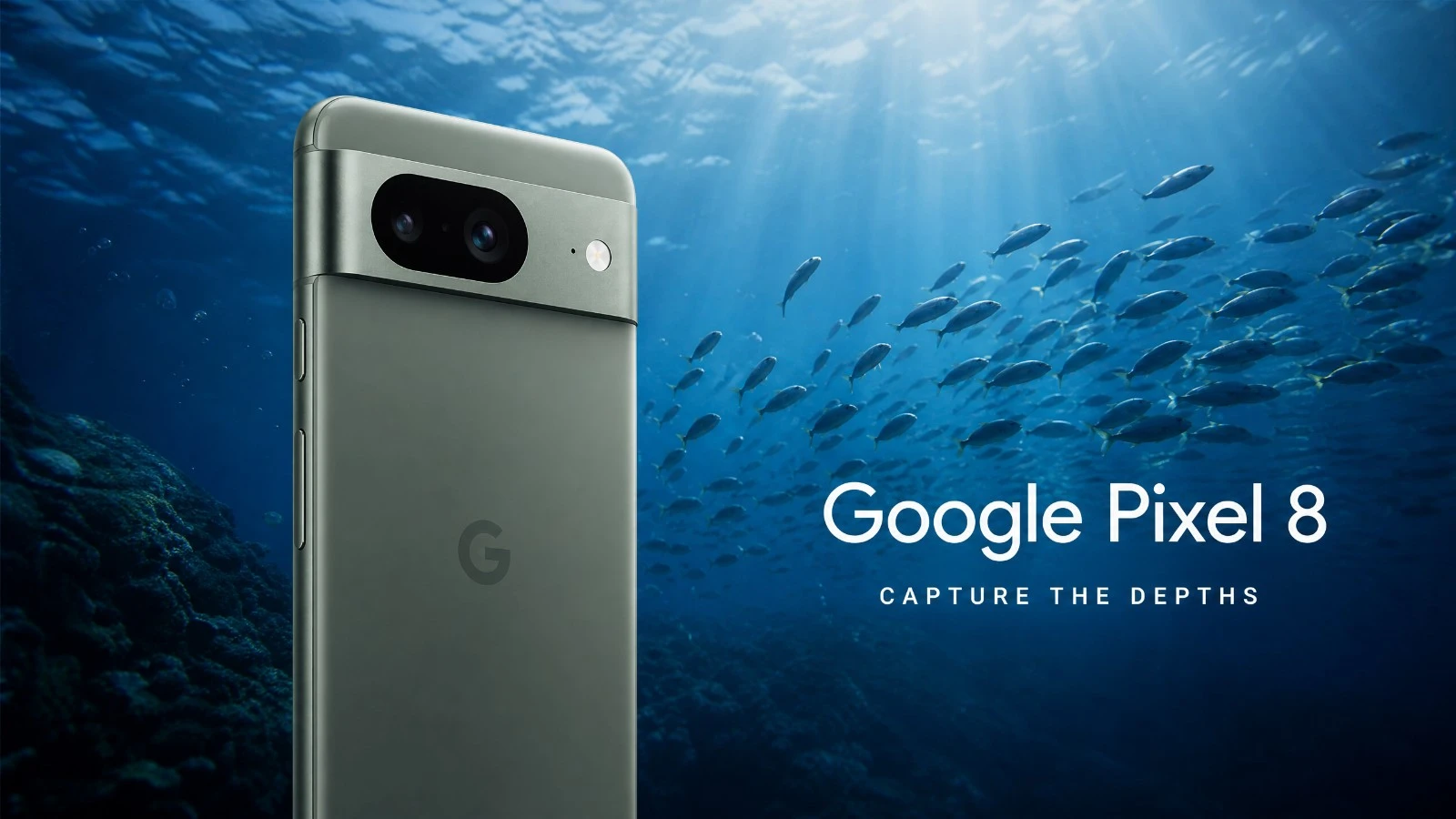
Google Pixel 8 underwater camera test: natural light performance, AquaExposure score, and available cases. Read before you buy!
To learn how to get the most out of your gear underwater, discover the AquaExposure Training. # Google Pixel 8 Underwater Photography: Our 2026 Review
Diving with a smartphone is now a reality. The Google Pixel 8 is entering the market with a strong promise: simplicity and intelligent image processing. But underwater, the rules change. The light is different. Colors quickly fade. Does the Pixel 8 hold up against the pressure and humidity? We put it to the test. We wanted to see if this phone could become your diving companion. Not to replace a large piece of equipment, no. But for quick memories and instant sharing. That's the real point. We're talking about underwater photography in natural light, without any artificial enhancements. Just you, the fish, and your Pixel 8.
The Verdict in Summary
The Google Pixel 8 is a good performer. It doesn't revolutionize underwater photography. But it does the job, and well. Its image processing is a key feature. It compensates for quite a few things. For those who want a simple device without breaking the bank, this is a serious option.
| Criterion | Score / 5 | Comment |
|---|---|---|
| Overall | 3.5 | A good compromise for the informed enthusiast. |
| B1 Optics | 3 | Decent lens, but limited by its small size. |
| B2 RAW | 3.5 | Usable RAW format, but with limitations in dynamic range. |
| B3 Storage | 4 | USB 3.2, which is fast for transferring files. |
| B4 Thermal | 3 | The Tensor G3 gets a bit warm, be careful in tropical environments. |
| B5 Battery | 3.5 | Decent battery life, but cold water can affect it. |
| B6 Autofocus | 4 | Fast and accurate, even on moving subjects. |
| B7 Housing | 5 | The Divevolk SeaTouch 4 Max is perfect. |
Ideal Profile: The diver who wants high-quality memories without being weighed down. Someone who quickly shares their photos. A light traveler. Not a professional seeking artistic photographs, but rather an enthusiast looking for good value.
Block-by-block analysis
B1 Optics - A window into the underwater world.
The Pixel 8 has a good objective. It is designed for versatility. Underwater, it shows its limitations. The small size of the sensor and lens reduces the amount of light captured. This is noticeable in deep blues. The sharpness is there, but it doesn't compete with a larger sensor. Chromatic aberrations are well managed. This is a positive point. But don't expect miracles regarding fine details at a distance.
For more details: The Pixel 8 uses a 50 MP main sensor. The aperture is f/1.68. This is standard for a high-end smartphone. But physics is physics. Water absorbs light. And a small lens can't do everything.
B2 RAW - The raw material of the image.
The Pixel 8 offers the RAW format. This is a real advantage. You have more room for post-production. It's crucial for correcting white balance. It's useful for recovering details in shadows. However, the dynamic range is limited. Don't overexpose too much. And don't underexpose either. Digital noise appears quickly if you push the sliders too far. Especially in dark areas. This is a smartphone RAW file, so it needs to be processed carefully.
To learn more: The Pixel 8 generates DNG files. They are in 10-bit format. This is better than JPEG. However, a larger sensor offers a RAW file in 12 or 14 bits. That's where the difference lies. The Tensor G3 performs a significant amount of processing, even on the RAW file.
B3 Storage - The Diver's Memory
Storage is rarely a problem with modern smartphones. The Pixel 8 is fast. It uses USB 3.2, which means transfer speeds of 10 Gbps. This is great for transferring your photos and videos after diving. No time wasted. The buffer is sufficient for short bursts. You won't be stuck in the middle of action. This is a strong point for field work.
For more details: The Pixel 8 has USB 3.2 connectivity (10 Gbps). Wi-Fi 7 is also present. This helps with wireless transfers. However, underwater, the USB connection is what matters. And it's a high-performance one.
B4 Thermal - The heatwave underwater.
This is a point to be aware of. The Tensor G3 is powerful, but it generates heat. Especially when recording in 4K video. And while water can help cool it down, it doesn't perform miracles inside a waterproof housing. We have seen overheating alerts after 20-25 minutes of intensive video recording, especially in tropical waters. In colder water, it is less of a problem. However, you need to be aware of this limitation. Silica gel is essential for moisture control, but it doesn't help with cooling. It's a compromise that needs to be considered.
For more details: The frame is made of aluminum and glass. It's elegant, but it retains heat. The Tensor G3 is a proprietary processor. It's optimized for AI, but it consumes energy and generates heat.
B5 Battery - Endurance Beneath the Surface
The battery life of the Pixel 8 is decent. It's sufficient for a single dive. For a day with three dives, it's more challenging. Especially if you film a lot. Cold water also reduces battery life. This is a known phenomenon. You should disable Wi-Fi and Bluetooth before diving. This helps significantly. And plan to have an external battery pack to recharge between dives. This is the price you pay for its compactness.
For more information: The battery capacity of the Pixel 8 is 4575 mAh. This is a good capacity. However, the screen, processor, and camera application consume a lot of power. Especially when recording video. And water pressure can also slightly affect the battery.
Before each diving session, remember to check your external battery. Use our portable battery comparator tool to choose the right power bank for your dive equipment and desired battery life.
B6 Autofocus - Focusing Speed
The autofocus on the Pixel 8 is fast. And accurate. Even on moving subjects. This is a real advantage for underwater photography. Fish don't stay still. The tracking is effective. You can rely on it to capture the moment. This is one of the strengths of the Pixel 8. Google's software processing plays a significant role in this. It anticipates movement well.
For more details: The Pixel 8 uses a phase detection autofocus (PDAF) system. It is assisted by the AI of the Tensor G3 chip. This is an effective combination. The macro mode also performs well. It's great for small subjects.
B7 Enclosure - Essential Protection
Without a waterproof case, no diving. The Divevolk SeaTouch 4 Max is the reference case for the Pixel 8. It's robust and allows you to use the touchscreen underwater. This is an incredible convenience. No need for mechanical buttons. Installation is simple. The maximum depth is 60 meters. That's enough for most divers. It's a reliable case, and it's widely available. That's what matters.
To learn more: The Divevolk SeaTouch 4 Max is compatible with many smartphones. It is waterproof up to 60 meters. It has a high-quality front lens. And it is easy to carry. It is a smart investment.
What you need to know before buying.
Available Enclosures
For the Google Pixel 8, the choice is clear: the Divevolk SeaTouch 4 Max. It offers the best experience. It's reliable, ergonomic, and gives you full access to the phone's interface. There are other generic housings available, but they are often less practical or less robust. For the safety of your phone, don't compromise.
Terrain workflow
Before diving, disable Wi-Fi and Bluetooth. Put the phone in airplane mode. Check the waterproof seal of the housing. Perform a dry test. Underwater, use the native camera app. Or a third-party app if it is compatible with the housing. RAW mode is preferred for post-production. After the dive, rinse the housing with fresh water. Dry it thoroughly. And transfer your photos via USB 3.2. It's fast and efficient.
Key Considerations
Overheating: Be careful with long video sessions in warm water. The Pixel 8 can overheat. Plan for breaks, or reduce the video quality. Battery Life: Cold water and video recording consume power. An external battery is a good idea to recharge between dives. Silica Gel: Essential to prevent fogging. Always include it in your waterproof housing. Natural Light: The Pixel 8 performs well in natural light. However, it won't work miracles in very dark or very deep areas. This is a physical limitation.
Prix
The Google Pixel 8 is a high-end smartphone, and its price reflects that. The Divevolk SeaTouch 4 Max underwater housing is an investment. However, it's an investment in the safety of your device, and for the quality of your photos. It's a cost to consider. But it's cheaper than a dedicated underwater camera.
Our Verdict
The Google Pixel 8 is a good companion for underwater photography in natural light. It won't replace a professional system. That's not its role. But for the diver who wants quality images, and for those who want to easily share their memories, it does the job. Its image processing is a strong point. Its autofocus is fast. The Divevolk housing is a real plus. If you already have a Pixel 8, don't hesitate. It's an excellent entry point into underwater photography. But understand its limitations and work with them. That's the key to success.
Learning Underwater Photography with This Camera
You have your Google Pixel 8 and its housing? That's a good start. But the hardware isn't everything. Technique is what matters. To master underwater lighting. To understand composition. To enhance your images. AquaExposure is here to guide you. Discover our online courses. Learn how to get the most out of your equipment, even with a smartphone. Visit [Access a specialized training course for photography with smartphones and action cameras](/en/blog/Overheating and condensation on a smartphone in an underwater housing.
Compare this device with others.
Are you hesitating between several devices? Use our underwater photography equipment comparison tool to compare this device with other tested models.
Share
Table of Contents
- 01The Verdict in Summary
- 02Block-by-block analysis
- 03B1 Optics - A window into the underwater world.
- 04B2 RAW - The raw material of the image.
- 05B3 Storage - The Diver's Memory
- 06B4 Thermal - The heatwave underwater.
- 07B5 Battery - Endurance Beneath the Surface
- 08B6 Autofocus - Focusing Speed
- 09B7 Enclosure - Essential Protection
- 10What you need to know before buying.
- 11Available Enclosures
- 12Terrain workflow
- 13Key Considerations
- 14Prix
- 15Our Verdict
- 16Learning Underwater Photography with This Camera
- 17Compare this device with others.
Questions about the Journal
Can I use the photographs from this journal?
All images are protected by copyright. For any commercial or editorial use, please contact us via our form.
How can I be notified of new articles?
Follow us on social media or join the Sentinels Circle to receive our immersion stories before anyone else.
Do you offer hands-on workshops?
Yes, we organize masterclasses and field expeditions for members of our school. Check the Training page for details.