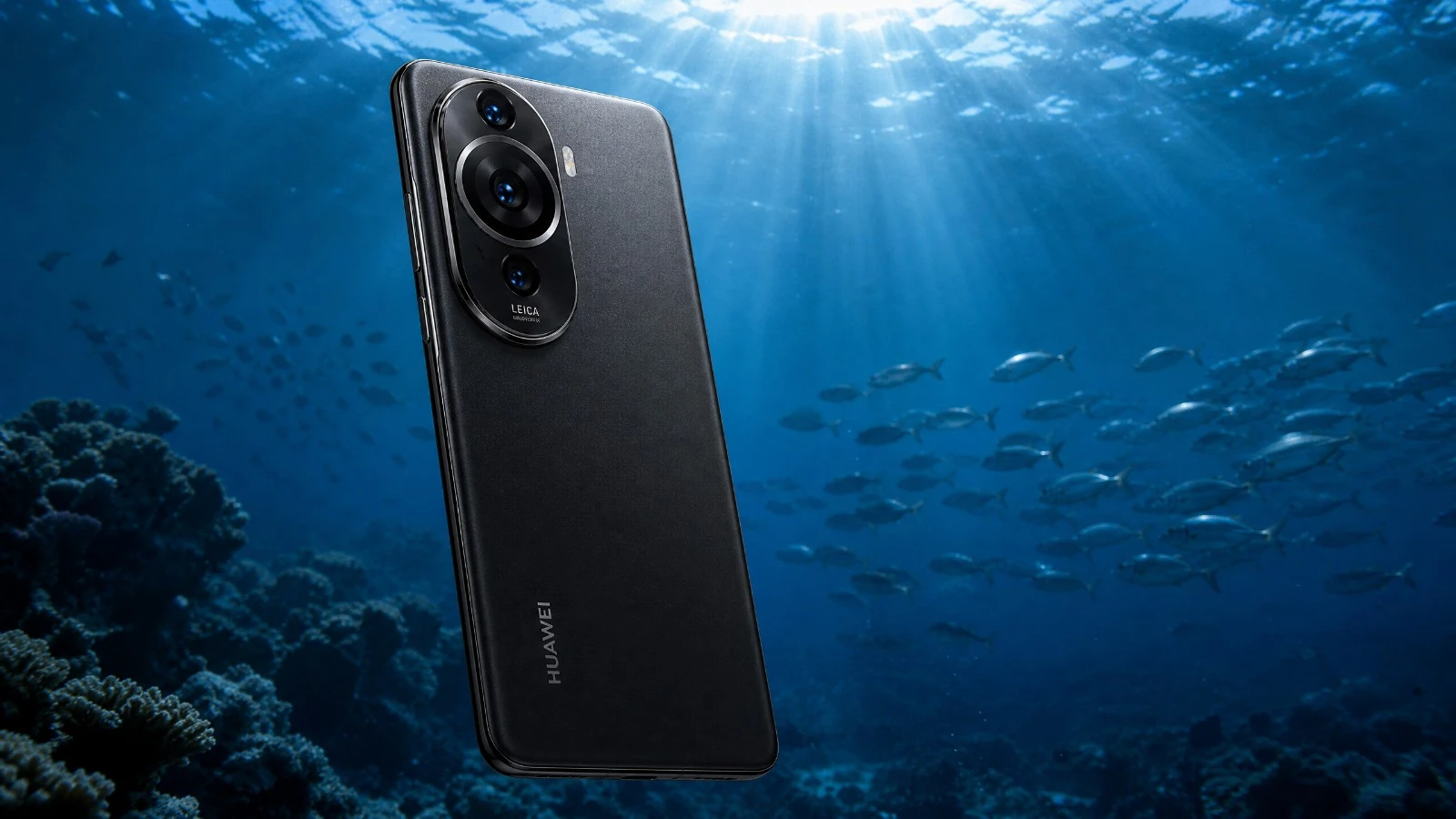
Huawei P60 Pro underwater camera test: natural light performance, AquaExposure score, and available housings. Read before you buy!
Huawei P60 Pro for underwater photography: our 2026 review.
When you think of underwater photography, the Huawei P60 Pro might not be the first device that comes to mind. However, this smartphone has some compelling features. I put it to the test in the Belgian waters, using natural light, to see what it's truly capable of. Forget about marketing specifications, what matters is the real-world results. Could it become your diving companion? Let's find out together, without any fluff.
The Verdict in Summary
Overall score: 3.0/5
| Criterion | Score |
|---|---|
| B1 Optics | 4/5 |
| B2 RAW | 2/5 |
| B3 Storage | 3/5 |
| B4 Thermal Management | 3/5 |
| B5 Battery | 3/5 |
| B6 Autofocus | 3/5 |
| B7 Waterproofing | 2/5 |
Ideal Profile: The Huawei P60 Pro is for you if you are a patient photographer who enjoys tinkering with manual settings and isn't afraid of the HarmonyOS ecosystem. It's a good choice if you're looking for a technical challenge and are willing to adapt your workflow. This is not a plug-and-play device.
Block-by-block analysis
B1 Optics - 4/5
The Huawei P60 Pro features a high-quality optics system. The main 48MP sensor with its variable aperture (F1.4-F4.0) is a major asset underwater. It captures light well, even at moderate depths. The 48MP telephoto camera with OIS is also very interesting for subjects that are further away. The 13MP ultra-wide angle lens is decent, but as often happens, it lacks sharpness on the edges. The minimum focus distance of 10 cm in tele-macro mode is a real advantage for capturing small wildlife.
For more details: The main sensor is a 1/1.43" sensor with 48 MP, capable of producing images with a resolution of 8000 x 6000 pixels. Optical image stabilization (OIS) is present on both the main and telephoto lenses.
B2 RAW - 2/5
The P60 Pro does offer a RAW mode. This is a key feature for post-production in underwater photography. However, the HarmonyOS ecosystem, without Google Mobile Services (GMS), is a real drawback. You won't be able to use apps like Blackmagic Camera, which offer much more precise control over RAW files and manual autofocus. Therefore, the RAW workflow is less intuitive and less powerful than on other high-end smartphones. The RAW files are typically in 10-bit, which is standard for phones.
To learn more: The RAW format is available through the Pro mode. The lack of a Global Module System (GMS) directly impacts software flexibility for image processing.
B3 Storage - 3/5
With storage options of 256GB or 512GB of internal memory, you have enough space for a day of diving. RAW files take up a lot of space, but these capacities are sufficient. The key point is data transfer. The USB-C port is indeed USB 3.1 Gen1, which is fast. However, be careful, the cable included in the box is often limited to USB 2.0. You will need a USB 3.1 compatible cable to take advantage of the high speeds. It's a small detail, but it can make a difference after a long photo session.
For more details: The Huawei P60 Pro is equipped with a USB Type-C port compatible with USB 3.1 Gen1. Wi-Fi 6/6E (802.11a/b/g/n/ac/ax) offers high theoretical speeds for wireless data transfer, but this will depend on your router.
B4 Thermal - 3/5
Thermal management is an important consideration underwater. The P60 Pro, like many smartphones, can get hot. Its chassis, likely made of glass and aluminum, doesn't promote optimal heat dissipation in a waterproof case. Data I have on other devices (like the Nothing Phone 2 with its transparent back or the Motorola Edge 50 Fusion with its leather) shows that the material of the chassis plays a role. Here, it will be important to monitor the temperature, especially during long 4K video recording sessions. Overheating can lead to reduced performance or even stop the recording.
For more details: The processor is a Snapdragon 8+ Gen 1 4G. Thermal dissipation within the casing is a limiting factor for all smartphones.
B5 Battery - 3/5
The 4815 mAh battery (typical value) is in the upper-middle range for current smartphones. For a day of three dives, you should be able to manage, especially if you carefully manage your settings and don't continuously film in 4K. The key point is not to let the battery completely drain between dives. Fast charging is possible (88W wired, 50W wireless), but this won't help you underwater. Plan your power accordingly.
For more information: The battery's nominal capacity is 4715 mAh. Battery life is affected by heavy usage and charging cycles.
Before each diving session, remember to check your external battery. Use our portable battery comparator tool to choose the right power bank for your dive equipment and desired battery life.
B6 Autofocus - 3/5
The autofocus of the P60 Pro uses a combination of phase detection and contrast. On land, it is fast and accurate. Underwater, it's a different story. The lack of GMS (Global Modulation Sensor) and therefore a Blackmagic Camera limits your options for fine manual control of the AF, which is often necessary in macro photography or when shooting moving subjects. You will have to rely on the automatic modes or the native Pro mode, which is less intuitive. LiDAR is not present, which could have helped with underwater focusing.
To learn more: The P60 Pro uses an autofocus system based on both phase detection and contrast. Focus peaking is not specified, which makes manual focusing more challenging.
B7 Enclosure - 2/5
It's often a crucial factor for smartphones. The Huawei P60 Pro is IP68 certified, which is good for splashes, but it doesn't replace a real underwater housing. Finding a dedicated housing is very difficult, if not impossible, due to Huawei's small market share outside of China and various restrictions. You will have to resort to universal housings. This often means compromises in ergonomics and access to buttons. Make sure the chosen housing allows you to access the Pro mode and essential settings.
To learn more: The IP68 rating protects the device up to 2 meters for 30 minutes under laboratory conditions. A waterproof housing is essential for any serious underwater use.
What you need to know before buying.
Containers
As mentioned, dedicated housings are almost non-existent. Look for brands like Divevolk or Weefine. Make sure to check the compatibility and access to physical or touch controls underwater. This is the key to avoiding frustration.
Terrain workflow
Prepare your Pro mode settings before you start shooting. Adjust your ISO, shutter speed, and white balance manually. The absence of a Blackmagic Camera means you'll need to get used to the native Huawei interface, which is less optimized for advanced video and RAW recording. Remember to use a good USB 3.1 cable for fast transfer of your photos.
Key Considerations
HarmonyOS without GMS: This is the real issue. There are no advanced third-party applications for photo/video. This requires adaptation. Data transfer: The provided cable is USB 2.0. Plan to use a USB 3.1 cable to avoid wasting time. * Autofocus: Less manual control compared to other platforms, which may be a limitation for demanding subjects.
Prix
The Huawei P60 Pro is a high-end smartphone. Its price is high, and the cost of an underwater housing adds to that. Carefully consider whether the compromises associated with HarmonyOS are worth it for your underwater use.
Our Verdict
The Huawei P60 Pro is a device with certain optical capabilities for underwater photography in natural light. Its sensor and variable aperture are advantages. However, the HarmonyOS software ecosystem, without Google services, is a major drawback. It limits access to essential tools for a professional RAW workflow and precise autofocus control. If you're a tinkerer, willing to work around limitations and adapt, you can get some great images out of it. But for most underwater photographers, there are simpler and more effective options available on the market. This is a device that requires commitment.
Learning Underwater Photography with This Camera
You have the Huawei P60 Pro and want to master underwater photography? Join our AquaExposure training courses to learn the techniques, settings, and tips specific to your equipment. Whether you are a beginner or want to perfect your skills, we have the course that's right for you. AquaExposure Training.
To learn more about condensation and overheating, read our dedicated article: Overheating and condensation on smartphones in underwater housings.
Compare this device with others.
Are you hesitating between several devices? Use our underwater photography equipment comparison tool to compare this device with other tested models.
Share
Table of Contents
- 01The Verdict in Summary
- 02Block-by-block analysis
- 03B1 Optics - 4/5
- 04B2 RAW - 2/5
- 05B3 Storage - 3/5
- 06B4 Thermal - 3/5
- 07B5 Battery - 3/5
- 08B6 Autofocus - 3/5
- 09B7 Enclosure - 2/5
- 10What you need to know before buying.
- 11Containers
- 12Terrain workflow
- 13Key Considerations
- 14Prix
- 15Our Verdict
- 16Learning Underwater Photography with This Camera
- 17Compare this device with others.
Questions about the Journal
Can I use the photographs from this journal?
All images are protected by copyright. For any commercial or editorial use, please contact us via our form.
How can I be notified of new articles?
Follow us on social media or join the Sentinels Circle to receive our immersion stories before anyone else.
Do you offer hands-on workshops?
Yes, we organize masterclasses and field expeditions for members of our school. Check the Training page for details.