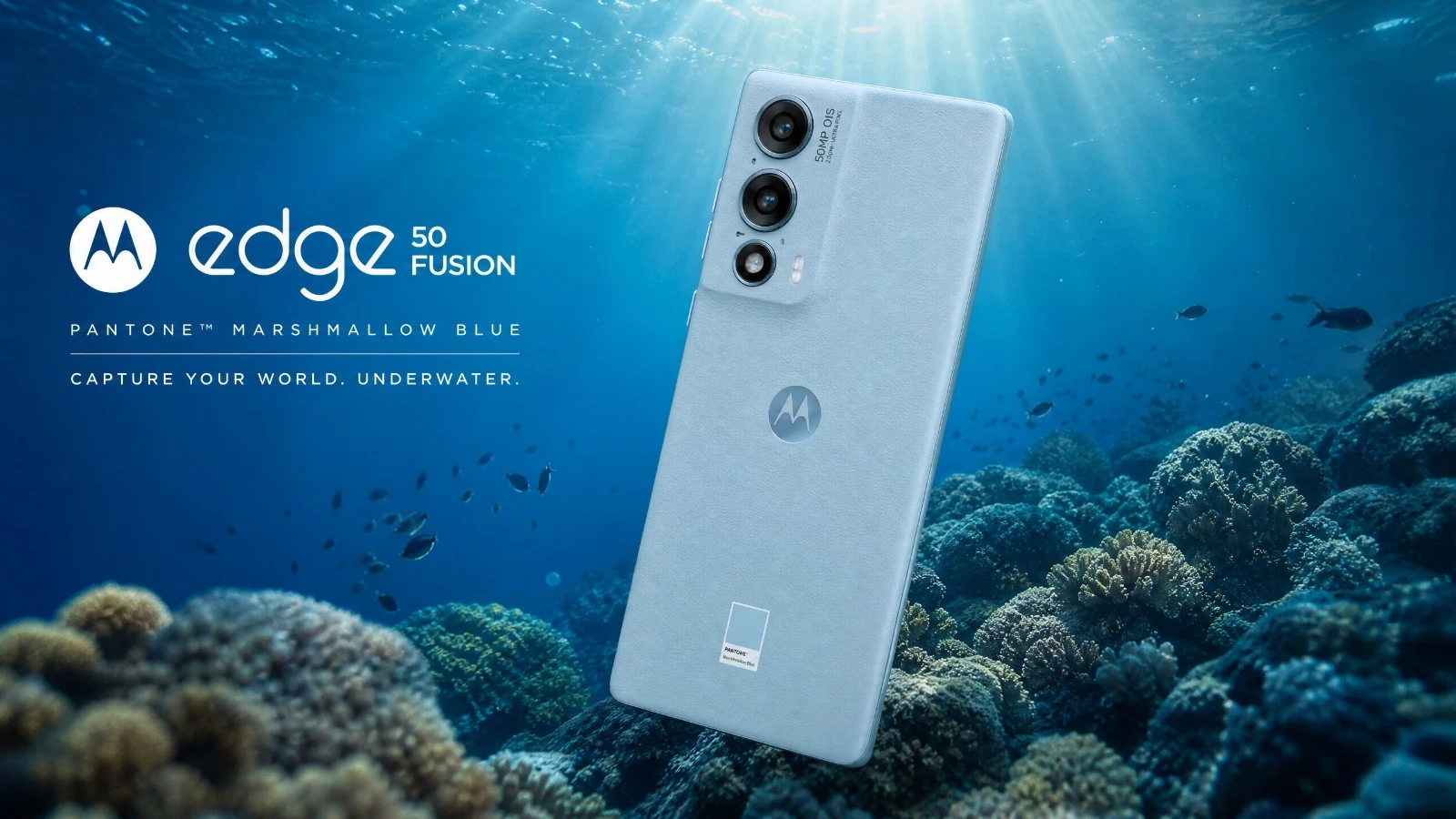
Motorola Edge 50 Fusion underwater camera test. Natural light performance, AquaExposure score, and available housings. Read before you buy!
Motorola Edge 50 Fusion underwater photography review: our 2026 test
Welcome aboard, fellow divers and underwater photography enthusiasts. Today, we're taking a look at a device that's generating buzz in the mid-range segment: the Motorola Edge 50 Fusion. Does this smartphone have a place in your dive gear to capture the wonders of the underwater world in natural light? We'll break it down together, with a real-world approach, far from sterile technical specifications. We're not talking about specs just for show, but about what really matters when you're 15 meters deep, facing a school of barracudas. The goal is simple: to give you the keys to know if this phone is right for you, for your underwater adventures, without any fluff or marketing jargon. Buckle up, we're diving in!
The Verdict in Summary
The Motorola Edge 50 Fusion positions itself as a good companion for beginners or occasional divers who want to get into underwater photography without breaking the bank. Its key features are its thermal management and its main sensor. The real issue is that it requires compromises, particularly regarding image transfer and the lack of dedicated housings. Here's our overall score and an overview of its performance:
Overall score: 3.0/5
| Criterion | Score (out of 5) | Brief Description |
|---|---|---|
| B1 Optics | 3.5 | Solid 50 MP sensor, good aperture. |
| B2 RAW | 2.5 | RAW support present but poorly documented, potentially via a third-party app. |
| B3 Storage | 3.0 | 256/512 GB UFS 2.2, but no SD card slot. |
| B4 Thermal | 4.0 | Very good insulation, slow overheating. |
| B5 Battery | 3.5 | 5000 mAh, good battery life for a day. |
| B6 Autofocus | 3.0 | Multi-directional PDAF, OIS. |
| B7 Waterproofing | 1.0 | No dedicated waterproof case, universal solutions only. |
Ideal Profile: The beginner or occasional diver who is mindful of their budget and prioritizes thermal robustness and good basic image quality, and who is willing to manage the limitations associated with the lack of a dedicated housing and potentially complex RAW processing workflows.
Block-by-block analysis
B1 Optics: The main sensor, an advantage underwater.
The Motorola Edge 50 Fusion features a 50MP main sensor with an aperture of f/1.9 and a size of 1/1.56 inch. This is quite an honorable configuration for underwater photography in natural light. The sensor size allows it to capture a decent amount of light, which is fundamental when every photon counts underwater. The f/1.9 aperture is also a good point, it helps to obtain brighter images in low-light conditions. For the diver, this translates into more vibrant colors and less digital noise, even at moderate depths. This is a good starting point for successful shots.
For more details: The 1/1.56-inch sensor with 1.0µm pixels offers an interesting balance between resolution and light sensitivity. Optical Image Stabilization (OIS) is a real advantage for compensating for small movements underwater.
B2 RAW: Unleashing its potential.
The Motorola Edge 50 Fusion supports the RAW format. This is excellent news for those who want to enhance the post-production of their images. RAW is uncompressed data that gives you incredible flexibility to correct white balance, recover details in shadows and highlights, and adjust colors. Underwater, where a blue tint is prevalent, having RAW files allows you to restore accurate colors. However, precise information about the format (DNG?) and bit depth (10-bit, 12-bit?) is difficult to find. It is likely that you will need to use a third-party camera application to fully access this feature, which may add an extra step to your preparation before diving.
To delve deeper: RAW support is often implemented differently by various manufacturers. Without clear documentation, you may need to experiment with applications like Lightroom Mobile or others to see the actual potential. The bit depth is what matters for color richness.
B3 Storage: Plenty of space, but no expansion possible.
With internal storage options ranging from 128GB to 512GB (UFS 2.2), the Motorola Edge 50 Fusion offers ample space for storing a large number of photos and videos, even in RAW format. The problem is the lack of a microSD card slot. Once your storage is full, it's full. For an intense day of diving, especially if you are filming in 4K, you might find yourself running out of space. File transfer is via USB 2.0, which is slow for large amounts of data. This is a point to consider if you are a heavy user of storage space.
For more information: UFS 2.2 is a fast storage technology for everyday use, but the bottleneck here is USB 2.0 for data transfer. Plan for regular transfers or have a laptop nearby if you're going to be away for an extended period.
B4 Thermal: A Champion of Heat Resistance
This is where the Motorola Edge 50 Fusion excels. Its plastic or leather chassis offers excellent thermal insulation. Underwater, overheating is the number one enemy of our smartphones, especially when recording in 4K video. A phone that gets too hot will reduce its performance and may even shut down. The Edge 50 Fusion delays this overheating, allowing you to record for longer, up to about 40 minutes before showing signs of weakness. This is a definite advantage over phones made of glass or aluminum, which act as thermal conductors and overheat more quickly. For diving, this is a real issue of comfort and reliability.
To delve deeper: The design of the chassis plays a fundamental role in thermal management. While plastic and leather are less conductive than metal, they provide better insulation for the phone from cold water, which can be an advantage in maintaining a stable operating temperature.
B5 Battery: Solid battery life for a full day.
With a 5000 mAh battery, the Motorola Edge 50 Fusion offers very respectable battery life. In normal use, Motorola claims more than 30 hours. For underwater photography, this means you can potentially plan for a day of three dives without too much worry, provided you don't overuse the 4K video and the screen at full brightness. The 68W TurboPower fast charging is a plus for quickly recharging between sessions if needed. This is important to avoid running out of power in the middle of the action. However, as always, the cold environment of the water can slightly affect battery performance, so careful management remains essential.
For more information: The 5000 mAh capacity is within the average range for current smartphones. Fast charging is convenient, but underwater, raw battery capacity is what matters most. Remember to disable unnecessary functions to conserve energy.
Before each diving session, remember to check your external battery. Use our portable battery comparator tool to choose the right power bank for your dive equipment and desired battery life.
B6 Autofocus: Fast and precise, even underwater.
The Motorola Edge 50 Fusion is equipped with multi-directional PDAF (Phase Detection Autofocus) and optical image stabilization (OIS). On the surface, this is an effective combination for sharp shots. Underwater, the PDAF remains performant for quickly locking onto subjects, even when they are moving. The OIS is a real advantage for compensating for the diver's micro-movements and obtaining more stable images, especially in low light. This is a key feature for the responsiveness and sharpness of your underwater photos. However, like any autofocus system, it will have its limitations in conditions of very low contrast or very low light, which is often the case during deep dives.
To learn more: PDAF is a proven technology. Optical Image Stabilization (OIS) is particularly useful for underwater video, where stability is paramount. Test the autofocus on different subjects and at various depths to understand its limitations.
B7 Battery Compartment: The Achilles' Heel of the Edge 50 Fusion.
This is a weakness of the Motorola Edge 50 Fusion for underwater photography. There are no dedicated cases specifically designed for this model. You will be forced to use universal cases. These are often less ergonomic, more bulky, and offer limited access to the phone's features. The maximum depth is also often reduced compared to custom-made cases. This is a trade-off in size, because a good case is what matters most for the safety of your device and your comfort when using it underwater. You need to be careful about compatibility regarding dimensions and access to virtual or physical buttons via the universal case.
To learn more: Universal diving chambers can be a temporary solution, but for regular and demanding use, a dedicated chamber is always preferable. Check the seals, latches, and pressure before each dive.
What you need to know before buying.
Available Enclosures: The Universal Option, with its Limitations.
As mentioned, the lack of a dedicated case is the real issue. You will have to resort to universal cases. Brands like Divevolk offer interesting solutions, but be sure to check compatibility with the dimensions of the Motorola Edge 50 Fusion. These cases typically offer protection up to 40-60 meters, but ergonomics and access to touch functions are often a challenge. Be prepared for a less fluid interface and more cumbersome settings underwater.
Terrain workflow: Anticipate to avoid regrets.
Using the Edge 50 Fusion for diving requires anticipation. The USB 2.0 connection is slow for transferring large files. Make sure to regularly clear space on your phone or use an OTG adapter to transfer your photos to a USB drive or external hard drive between dives. Remember to configure your camera application (native or third-party) before descending, as accessing the touchscreen through a universal housing can be unreliable. This is important to avoid wasting valuable time underwater.
Important considerations: Things that might surprise you.
No microSD slot: Once the internal storage is full, there's no way to expand it. Manage your storage space carefully. USB 2.0: File transfer speeds are slow. Be patient or invest in a fast USB-C hub for transferring photos. Poorly documented RAW format: Be prepared to experiment with third-party applications to fully utilize the RAW format. Universal underwater housings: Less practical and less ergonomic. Test your underwater housing in a pool before diving in the ocean.
Price: A controlled budget.
The Motorola Edge 50 Fusion is positioned in a very attractive price segment, around €300-400. This is a controlled budget for a smartphone with such impressive camera capabilities and excellent thermal management. The key point is that the cost of the universal casing will be added, but the overall package will likely remain more affordable than higher-end solutions with a dedicated casing.
Our Verdict
The Motorola Edge 50 Fusion is a smartphone that has potential for underwater photography in natural light, especially for beginners or those with a limited budget. Its thermal management is a real advantage, allowing you to extend your shooting sessions without worrying about overheating. The main sensor is capable, and the RAW support, although improvable, opens doors to post-production possibilities.
However, the lack of a dedicated housing and the slow speed of USB 2.0 are drawbacks. This is a device that requires compromises and some adaptability from the user. If you are willing to deal with these limitations and invest in a good universal housing, the Edge 50 Fusion can be an excellent starting point for exploring the fascinating world of underwater photography. For more demanding users, or those who want a smoother workflow, you will need to look at higher-end options. But for getting started, it's a solid choice.
Learning Underwater Photography with This Camera
You have the Motorola Edge 50 Fusion in your hand and you're ready to explore the depths? Now is the time to go further and master underwater photography techniques. Join our AquaExposure training sessions to learn how to get the most out of your equipment, understand underwater lighting, composition, and post-production. Whether you are a beginner or want to refine your skills, our courses are designed to transform you into a skilled underwater photographer.
To learn more about condensation and overheating, read our dedicated article: Overheating and condensation on a smartphone in an underwater housing.
Compare this device with others.
Are you hesitating between several devices? Use our underwater photography equipment comparison tool to compare this device with other tested models.
Share
Table of Contents
- 01The Verdict in Summary
- 02Block-by-block analysis
- 03B1 Optics: The main sensor, an advantage underwater.
- 04B2 RAW: Unleashing its potential.
- 05B3 Storage: Plenty of space, but no expansion possible.
- 06B4 Thermal: A Champion of Heat Resistance
- 07B5 Battery: Solid battery life for a full day.
- 08B6 Autofocus: Fast and precise, even underwater.
- 09B7 Battery Compartment: The Achilles' Heel of the Edge 50 Fusion.
- 10What you need to know before buying.
- 11Available Enclosures: The Universal Option, with its Limitations.
- 12Terrain workflow: Anticipate to avoid regrets.
- 13Important considerations: Things that might surprise you.
- 14Price: A controlled budget.
- 15Our Verdict
- 16Learning Underwater Photography with This Camera
- 17Compare this device with others.
Questions about the Journal
Can I use the photographs from this journal?
All images are protected by copyright. For any commercial or editorial use, please contact us via our form.
How can I be notified of new articles?
Follow us on social media or join the Sentinels Circle to receive our immersion stories before anyone else.
Do you offer hands-on workshops?
Yes, we organize masterclasses and field expeditions for members of our school. Check the Training page for details.