
Review of the Seagate BarraCuda Fast SSD for photographers. SATA performance, sleek design, and limitations in marine environments for this desktop external SSD.
To improve your mastery of your equipment and optimize your procedures while diving, discover our specialized training modules on AquaExposure training.
Between returning from an expedition where every gram counts and the comfort of a quiet office, storage needs change dramatically. While fieldwork demands absolute water resistance, post-processing at home primarily requires stability, an aesthetically pleasing design, and consistent reliability. The Seagate BarraCuda Fast SSD belongs precisely to the latter category, that of a stationary object that is handled far from sea spray and sand.
Launched as an intermediate solution between mechanical hard drives and ultra-fast SSDs, this model emphasizes a distinctive design and ease of use. For an underwater photographer accustomed to the constraints of saltwater humidity and handling on the deck of a boat, its technical specifications and design require careful consideration before integrating it into a regular workflow.
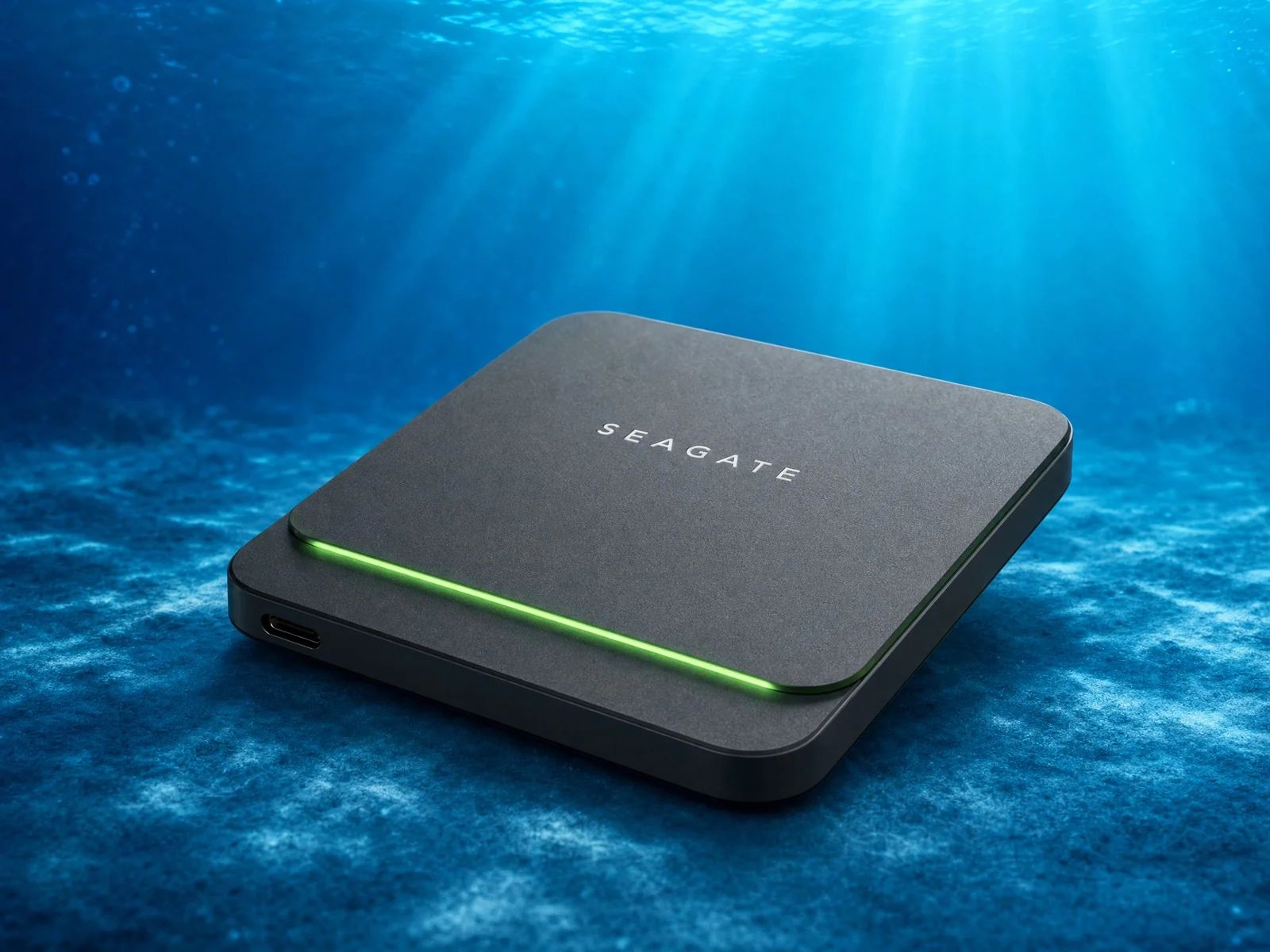
The green LED strip elegantly highlights the upper edge of the drive. This visual signature, inherited from the BarraCuda range, indicates the operating status and ongoing transfers. The enclosure dissipates heat properly during moderate use, such as browsing files or light photo editing. However, its closed design shows thermal limitations during massive transfers of several hundred gigabytes, where the enclosure can become slightly warm to the touch without compromising data security.
The USB 3.1 Gen 2 interface ensures compatibility with the latest machines. Seagate provides two 45 cm cables, one USB-C and one USB-A, allowing for immediate use with a wide variety of devices without the need for an adapter [3]. The real bottleneck comes from the internal drive rather than the external connection. Photographers working with high-bandwidth 4K video streams or large RAW files will find these speeds limited compared to current NVMe standards, which exceed 1000 MB/s. This performance difference is especially noticeable when exporting complex video projects or creating complete backups.
| Feature | Technical Detail | |
|---|---|---|
| Internal Interface | SATA | |
| External Connection | USB 3.1 Gen 2 (USB-C) | |
| Maximum Read Speed | 540 MB/s | |
| Maximum Write Speed | 500 MB/s | |
| Weight | 140 g | |
| Dimensions | 93.45 x 79 x 9.1 mm | |
| Warranty | 3 years | ## Who is this storage device really suitable for? |
The Seagate BarraCuda Fast SSD is not designed to accompany divers on their expeditions. Its complete lack of water and dust resistance makes it extremely vulnerable to accidental splashes. The salty humidity, prevalent in marine environments, could quickly cause its internal components to corrode if the drive is not stored in a perfectly dry environment.
This drive is truly useful as a stationary backup unit or as supplemental storage for a home workstation. It helps photographers free up space on their main computer while still providing quick access to their archives. Its stability and weight of 140 grams make it a reassuring companion for a desk, capable of remaining stable on a work surface even with multiple peripherals connected. It can also serve as a storage device for a music library or for administrative documents that you occasionally want to transport in a well-padded laptop bag during typical urban travel.
Software compatibility relies on the Seagate Toolkit, which simplifies automatic folder synchronization [4]. This utility helps maintain up-to-date backups without requiring complex user intervention. The drive is shipped formatted in exFAT, allowing seamless transition between Windows and macOS environments without requiring a time-consuming reformatting process. This versatility is convenient for photographers who use multiple workstations for their editing.
The AquaExposure score of 2/10 reflects a clear mismatch with the specific needs of diving and underwater photography. In an environment constantly exposed to water, salt, and impacts, investing in a drive without minimal protection represents an unnecessary risk to your digital memories. The SATA transfer rates also lag behind the competition, which offers double the speed in a smaller form factor.Robust alternatives like the Crucial X9 Pro offer certified IP55 protection and superior performance, often at a similar price point. If you already own this Seagate model, it remains a perfectly capable tool for organizing your home backups, well protected from marine risks. For any purchase intended for use near water or on a boat, we strongly recommend choosing solutions certified to IP67 or IP68, which can withstand accidental submersion.
A successful backup strategy relies primarily on the absolute certainty that your data will be readable upon your return from the dive. The security of your most valuable images deserves a storage medium that is resistant to both ambient humidity and the hazards of transportation. By choosing equipment suitable for your actual environment, you not only protect your files but also the peace of mind necessary for your photographic practice.
To compare this model with all the available options on the market, consult our portable SSD comparison tool and our complete selection of diving equipment.[1]: https://www.storagereview.com/review/seagate-barracuda-fast-ssd-review "Seagate BarraCuda Fast SSD Review - StorageReview" [2]: https://www.seagate.com/www-content/datasheets/pdfs/barracuda-fast-ssd-DS2030-1-2001GB-en_SG.pdf "Seagate BarraCuda Fast SSD Data Sheet" [3]: https://www.seagate.com/manuals/barracuda-fast-ssd/ "Seagate BarraCuda Fast SSD User Manual" [4]: https://www.tweaktown.com/reviews/9341/seagate-barracuda-fast-ssd-1tb-usb/index.html "Seagate BarraCuda Fast SSD 1TB Review - TweakTown"
No, this model does not have any IP certification. It is vulnerable to water splashes, sand, and salt moisture, which means it must be stored in a completely dry area or a waterproof housing.
Its read/write speeds are capped at 540 MB/s due to its internal SATA technology. While this may be sufficient for basic editing, heavy 4K video workflows or multi-camera setups may cause the drive to become saturated, unlike newer NVMe models.
The green LED illuminates when the device is connected and during data transfers. It can be controlled or adjusted using the Seagate Toolkit software, which is included with the drive and is compatible with Windows and macOS.