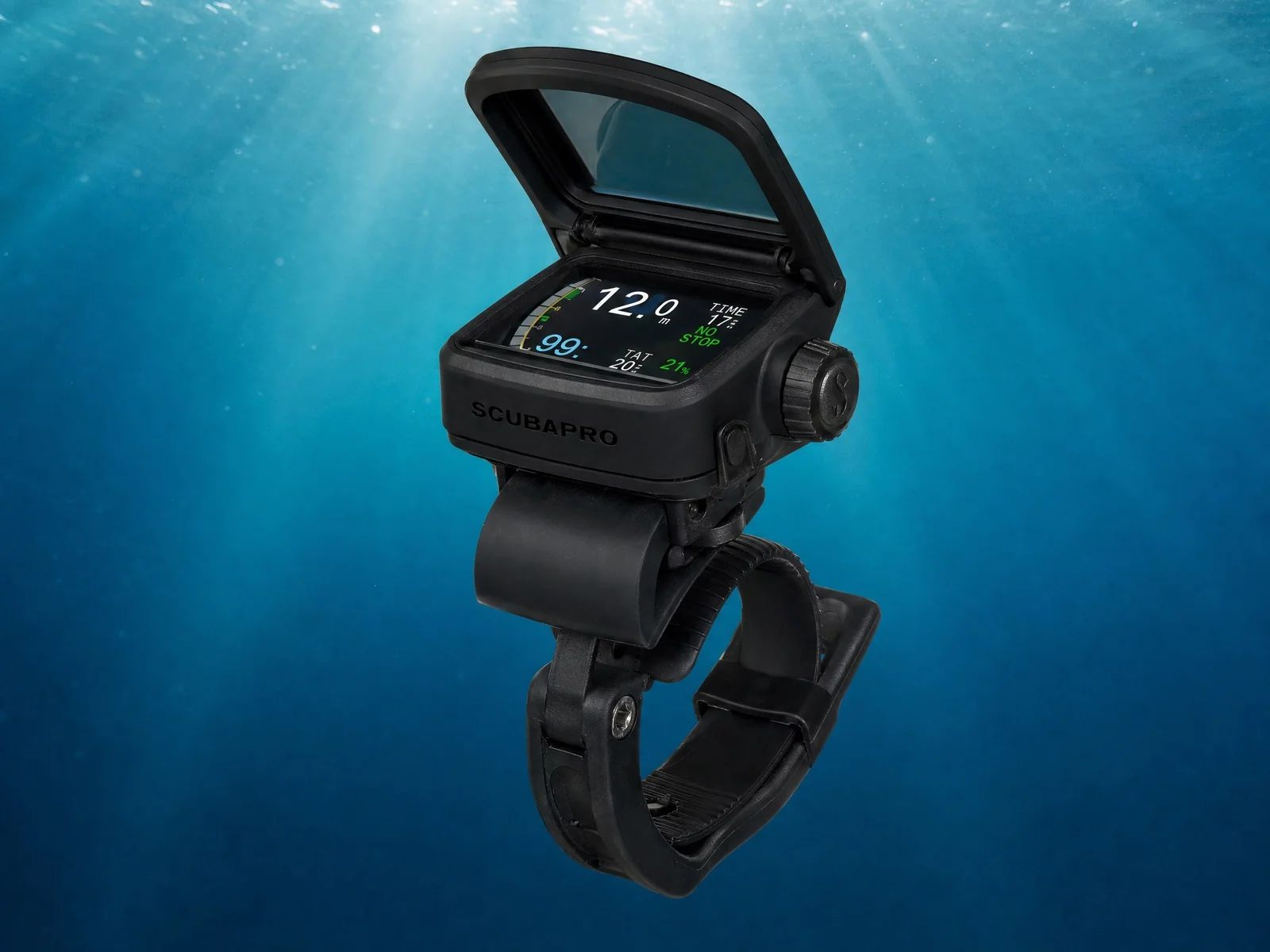
Does the screen on the Scubapro HUD obstruct underwater visibility?
No, the micro-OLED display is designed to create a virtual image projected approximately one meter in front of you, leaving your main field of view unobstructed.
Does the Galileo HUD fit any dive mask?
It comes with a mounting bracket that is compatible with a wide range of Scubapro masks, but not necessarily with other brands.
Is this computer suitable for technical diving?
Yes, it incorporates all the functions of the Galileo 2 (G2), including management of 8 gases, trimix capabilities, and a native CCR mode.
How do you navigate the menus without using traditional buttons?
Navigation is controlled entirely through an intuitive push-button dial located on the side of the device.
There are moments underwater when every fraction of a second counts. When you're handling bulky equipment, adjusting your camera settings, or following a guide rope in the dim light of a shipwreck, taking your eyes off your surroundings for even a moment to check your wrist can be enough to lose an essential reference point. The Scubapro Galileo HUD (Head-Up Display) aims to eliminate this friction precisely.
The idea of projecting decompression data directly into the field of vision is not new, but its technical implementation has long been a challenge. This review examines this exceptional piece of equipment to determine whether the head-up display is a genuine safety asset for divers, or simply an encumbering gadget. Dedication, repetition, and self-improvement are at the heart of technical diving, and such a tool must prove its value in real-world conditions.
2. The Verdict: Summary
Overall score: 4.6/5
Criterion
Score
What it means
Algorithm & decompression stops
5.0/5
Complete transparency and the ability to use Gradient Factors.
Air & multi-gas
5.0/5
Equipped to handle anything, from simple Nitrox to Trimix/CCR.
Screen & ergonomics
4.8/5
Spectacular micro-OLED technology and a highly effective dial navigation system.
Battery life
4.4/5
Solid rechargeable battery (approximately 20 hours), which should be considered when traveling.
Connectivity & app
4.8/5
Very smooth Bluetooth transfer to the mobile application.
Compass & instruments
5.0/5
The compass in the field of view is a major tactical advantage.
Robustness & depth rating
4.0/5
Cutting-edge equipment, waterproof to 120m, but the tilt mechanism requires careful attention.
Price & customer service
3.8/5
A significant investment, justified by the technical innovation.
3. Detailed Analysis
Algorithm and decompression stops (Score: 5.0/5)
The mathematical engine is identical to that of the G2. Scubapro offers a choice between its classic adaptive algorithm and the Bühlmann algorithm with adjustable Gradient Factors. Having this critical data constantly displayed in front of your eyes allows you to react within seconds if the ascent rate is exceeded.The ZH-L16 ADT MB PMG or ZH-L16C GF algorithm can be selected according to your preferences. The Gradient Factors are freely adjustable for the GF mode. The constant display of the decompression limit and TTS, combined with unmistakable visual alerts, provides such direct readability that even with thick gloves, managing decompression becomes intuitive.
Air and Multi-Gas (Score: 5.0/5)
The HUD makes no compromises. It is a complete Tek computer. It calculates your gas mixture changes in real time while allowing you to keep an eye on your buddy.
It manages up to 8 gas mixtures simultaneously. Compatibility is total with Nitrox, Trimix (hypoxic and normoxic), and it integrates a native CCR mode. Air integration is wireless via a low-frequency radio transmitter.
Screen and Ergonomics (Score: 4.8/5)
The micro-OLED screen doesn't look like a traditional screen. The internal optics create a virtual image one meter in front of you. The brain adapts to it very quickly. Navigation is controlled by a single "push/turn" knob, which is surprisingly intuitive even with waterproof gloves.
The color Micro-OLED screen with "Near-Eye" optics is extremely precise. The hinge mechanism allows the computer to be raised out of your field of vision if necessary. The single multi-function control knob is an example of excellent ergonomics.
Battery Life (Score: 4.4/5)Despite the power required for the OLED screen, energy optimization allows for approximately twenty hours of use. However, it will need to be recharged frequently during intensive trips.
The battery type is rechargeable. The stated battery life extends up to 20 hours in dive mode. The charge indicator is clear and easy to read.
Connectivity and Application (Score: 4.8/5)
Downloading dives is straightforward. The HUD communicates perfectly with current smartphones and tablets to keep your logbook updated.
It uses Bluetooth Low Energy and a USB cable. It is compatible with LogTrak 2.0. Software updates are performed via PC/Mac or smartphone. Standard export options are available.
Compass and Instruments (Score: 5.0/5)
Having a compass displayed "overlaid" on the underwater scene is the most impressive feature of this device. Navigation becomes natural, without ever needing to twist your wrist.
The integrated 3D electronic compass with tilt compensation is outstanding. It offers Scuba, Gauge, and Apnea modes.
Robustness and Depth (Score: 4.0/5)
The housing is extremely compact and pressure-resistant, but the nature of the product (mounted on the top of the mask) makes it particularly vulnerable to impacts during entry or exit from the boat.The certified depth rating is 120 meters. Mounting to the mask frame is done via a specific bracket (several adapters are included). Buoyancy is neutral.
Price and Customer Service (Score: 3.8/5)
This is an ultra-specialized niche product, and its price reflects that. It's one of the most expensive computers on the market, but the warranty and the presence of Scubapro's customer service provide reassurance for this long-term investment.
The observed price ranges from 950 to 1050 EUR (often sold with its transmitter). Scubapro's customer service is very effective in French-speaking regions.
4. Who is this computer for?
This computer is designed for photographers, videographers, or technical divers who need to keep both hands free and their eyes focused on their lens.
This computer is not ideal for minimalist divers or those with severe convergence eye problems.
5. Customer Service and Support
Scubapro has an excellent global network through its dealers. Exchanges are quick under warranty. The quality of service depends on the quality of the local dealer.
6. Power Supply
The Galileo HUD uses a rechargeable battery. The advertised battery life is approximately 20 hours in dive mode. The charge indicator is clear. You will need to plan for recharging during intensive trips or cruises.
7. Links to other models from the same brandIf you are looking for a more classic alternative from Scubapro, you can check out our review of the Galileo 2 (G2) or the Aladin Sport Matrix.