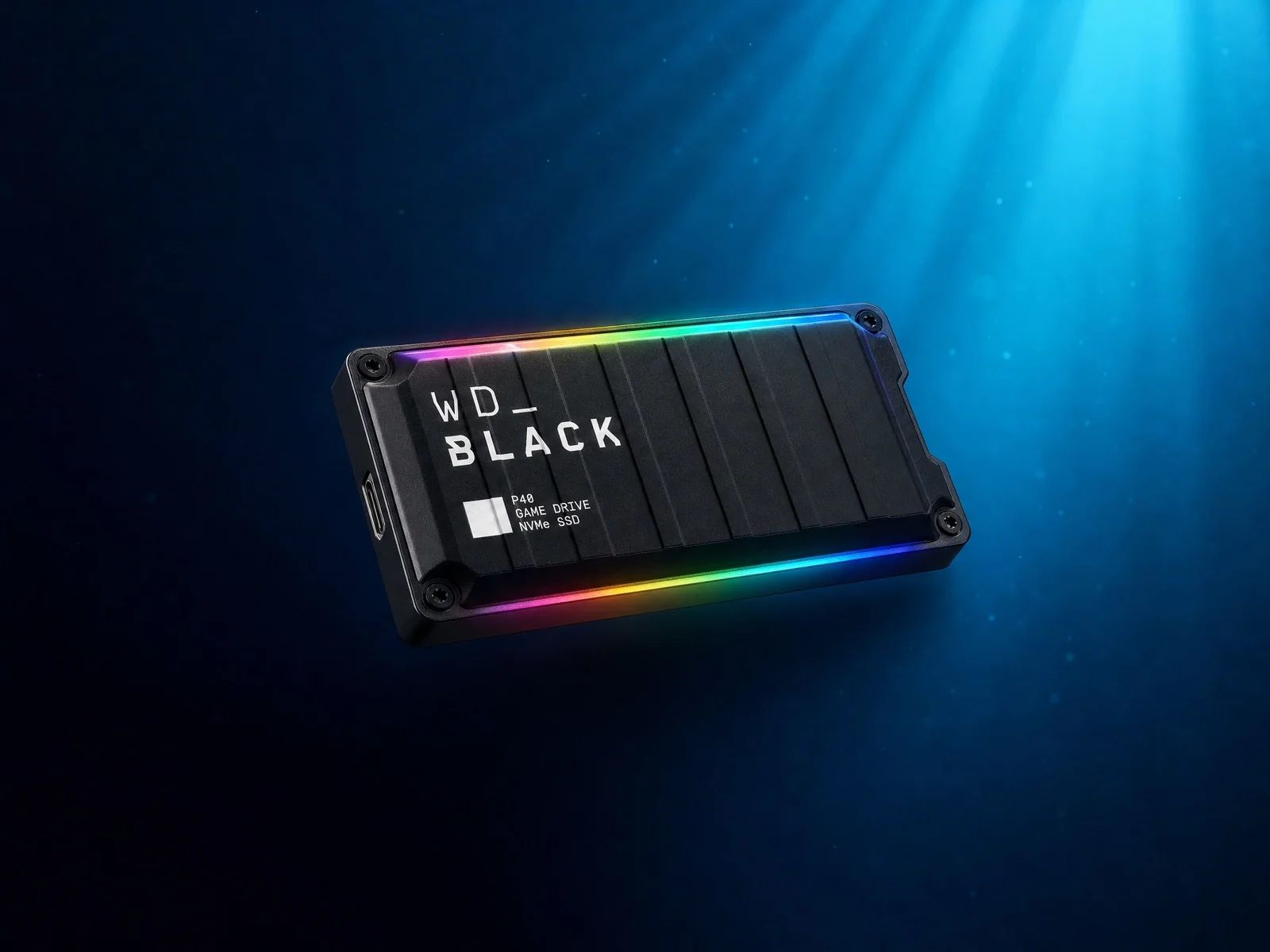

WD_BLACK P40 review for diving: 2000 MB/s for your video footage, but it's not waterproof- requiring extreme caution when used underwater.
To improve your mastery of your equipment and optimize your procedures while diving, discover our specialized training modules on AquaExposure training.
Data management on underwater photography expeditions often requires a difficult compromise between the compactness of the equipment and the speed of data transfers. Between dives, the time available to download tens of gigabytes of RAW files or 4K video footage is limited. The WD_BLACK P40 Game Drive SSD focuses on pure performance. Although initially designed for the video game market, its technical specifications attract the attention of content creators on the go. This analysis details its actual capabilities in the demanding context of a diving trip, where humidity and the lack of a stable power supply redefine priorities.
However, it is important to check the compatibility of your computer equipment. The USB 3.2 Gen 2x2 standard is still not widely available on laptops, including recent models. When connected to a standard USB-C port or a Thunderbolt 3 port, the drive will function, but its performance will be limited to 1000 MB/s. This backward compatibility ensures the drive's versatility, although the investment is truly worthwhile only with compatible host hardware.
| Feature | Verified Value |
|---|---|
| Interface | USB 3.2 Gen 2x2 (20 Gb/s) |
| Maximum Read Speed | 2000 MB/s |
| Maximum Write Speed | 2000 MB/s (1950 MB/s for 500 GB) |
| Connector | USB-C |
| Power | Via USB bus |
In terms of dimensions, the drive remains particularly compact, measuring approximately 107 mm in length and weighing 78.5 grams. It easily fits into a camera bag pocket. Western Digital claims a drop resistance of up to two meters on a hard surface. This structural protection provides peace of mind when handling the drive on a boat deck or in the hustle and bustle of an airport. However, this physical robustness should not be confused with protection against external elements.
The typical user of the WD_BLACK P40 is a content creator who prioritizes download speed above all else. If you work with high-resolution video streams or camera systems that generate very large RAW files, this drive significantly reduces waiting times. It is an effective productivity tool for those who edit or sort their footage while traveling.Its compact format and the manufacturer's five-year warranty also make it a serious contender for use as a primary work drive. Photographers who already have a robust backup strategy, including slower but more durable drives for archiving, will find the P40 to be a high-performing complement for the initial transfer phase.
"AquaExposure scores are editorial guidelines designed to help you choose the right product based on your needs. They are not a universal laboratory measurement."
With a Diver Score of 4/10, the WD_BLACK P40 ranks in the lower end of our rankings for use specifically in diving. This score reflects the discrepancy between its exceptional raw performance and its shortcomings in environmental protection, which are considered priority criteria for data security in the marine environment.
The lack of an IP certification is a major drawback for divers. Unlike some competitors that are certified IP67 or IP68, the WD_BLACK P40 has no official protection against dust or water ingress. Even a simple splash on the connector or prolonged exposure to saltwater spray can damage the drive. Therefore, it is essential to keep it in a waterproof case, such as a Pelican case, or a sealed pouch as soon as you leave the dry area of the boat.Another important consideration is data security. This model does not have AES-256-bit hardware encryption. If you lose your drive, your files are accessible to anyone who connects it. For professional use involving sensitive data, using encryption software is necessary, although this may reduce transfer speeds.
| Type of protection | Level of resistance |
|---|---|
| Water resistance (IP) | No certification |
| Drops | Up to 2 meters |
| Encryption | Software only |
| Operating temperature | 0°C to 85°C (internal components) |
The temperature range mentioned by the manufacturer goes up to 85°C. This is a limit for the internal components and is not a recommended ambient temperature. Under a tropical sun, the black aluminum enclosure can quickly become very hot. Be sure to perform your transfers in the shade and in a well-ventilated area to avoid any risk of overheating.
Customizing this lighting requires the WD_BLACK Dashboard software, which is only available for Windows [2]. macOS users will not be able to modify the default settings. Fortunately, these lights do not affect storage performance, but they serve as a reminder that this drive was not initially designed for marine environments.
The WD_BLACK P40 remains a niche storage solution for underwater travelers. It offers top-tier transfer speeds, but in return, it requires strict protection. Its use is fully justified if your workflow absolutely requires the speeds of USB 3.2 Gen 2x2, and you are willing to compensate for its lack of waterproofing with appropriate carrying accessories.
To compare this model with all available products on the market, consult our portable SSD comparison tool and our complete selection of diving equipment.Here's the translation:
[1]: https://www.westerndigital.com/fr-fr/products/portable-drives/wd-black-p40-game-drive-usb-3-2-ssd "Official WD_BLACK P40 product page" [2]: https://documents.sandisk.com/content/dam/asset-library/fr_fr/assets/public/wd/product/external-storage/wd-black-p40-game-drive-ssd/data-sheet-wd-black-p40-game-drive-ssd.pdf "Western Digital technical specifications"
No, this SSD does not have any IP certification. It is vulnerable to water splashes and sand. Its use in a marine environment absolutely requires that it be stored in a waterproof case or pouch between each data transfer.
The WD_BLACK P40 does not have a built-in AES-256 hardware encryption chip. To protect your sensitive data, you will need to use third-party software solutions such as BitLocker or FileVault, which may slightly impact performance.
You must connect the drive to a USB 3.2 Gen 2x2 port (20 Gbit/s). If your computer has a standard USB-C port or a Thunderbolt 3 port, the data transfer rate will be limited to approximately 1000 MB/s.