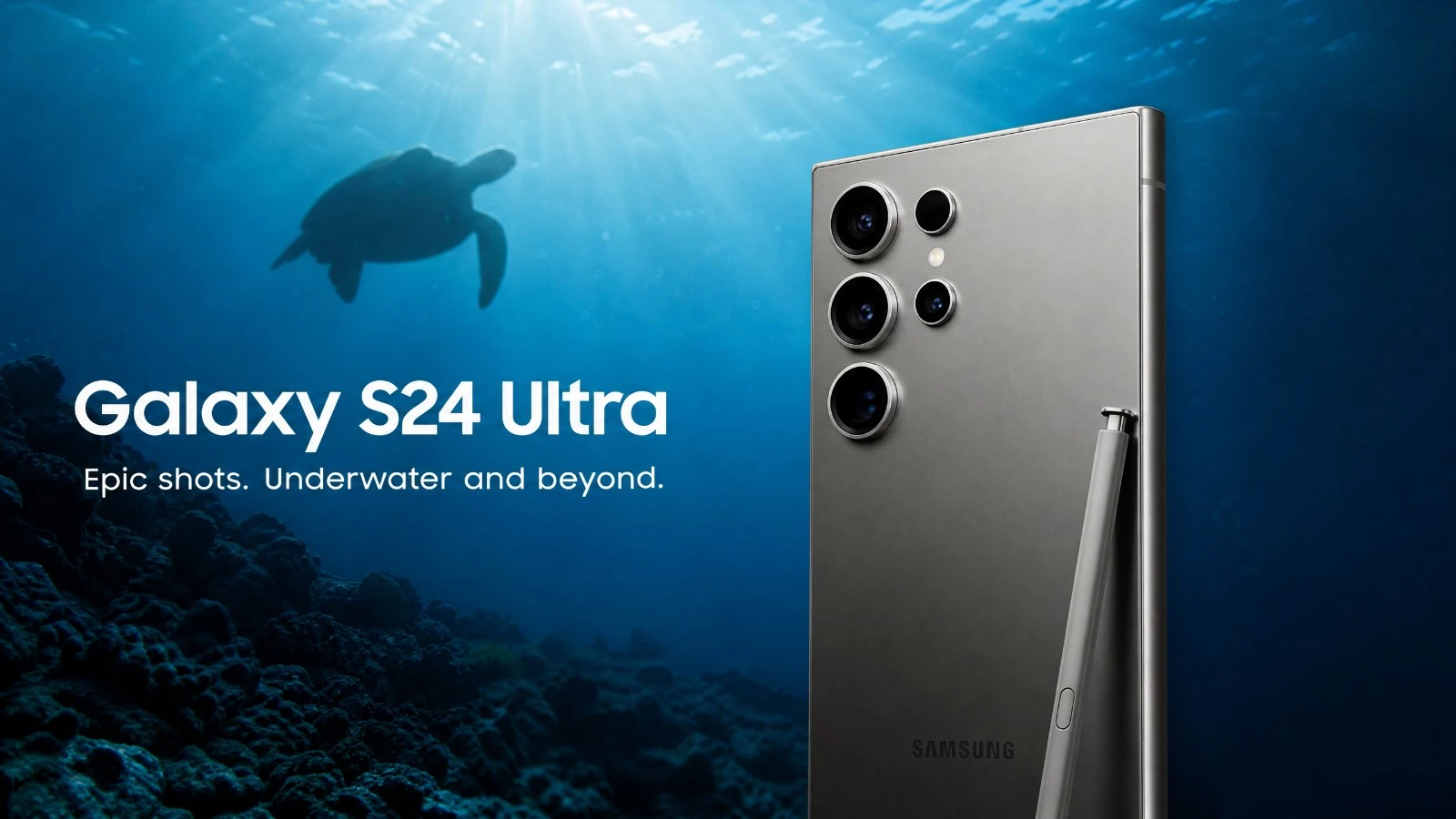
Samsung Galaxy S24 Ultra underwater camera test: natural light performance, AquaExposure score, cases available. Read before you buy!
Introduction
Have you seen the Samsung ads? The S24 Ultra is presented as the king of terrestrial photography. But underwater, reality is different. Water absorbs colors, reduces contrast, and pushes the sensors to their limits. I took this phone below the surface to see what it's really capable of. No marketing hype, just the real-world performance. When you're 20 meters deep with a grouper looking at you, you don't have time to struggle with complicated menus. You want a device that reacts quickly and handles variations in light. The S24 Ultra promises a lot with its titanium frame and multiple lenses. But is that enough to capture beautiful images in natural light? Let's find out right away.
The Verdict in Summary
Overall score: 4.5/5
| Criterion | Score | Comment |
|---|---|---|
| B1. Optics | 4.5/5 | Excellent sharpness on the main sensor. |
| B2. RAW | 5/5 | Expert RAW does wonders. |
| B3. Storage | 4.5/5 | USB 3.2 at 10 Gbps, ultra-fast transfer speed. |
| B4. Thermal Management | 4/5 | The titanium dissipates heat well, but be careful in direct sunlight on the boat. |
| B5. Battery | 4.5/5 | Solid performance for a full day of diving. |
| B6. Autofocus | 4/5 | Fast, sometimes hesitant with particles in suspension. |
| B7. Housing | 4.5/5 | Divevolk SeaTouch 4 Max Platinum is required. |
Ideal Profile: The demanding diver who wants the quality of an expert-level compact camera without being weighed down, and who is willing to spend time in Lightroom to enhance their RAW files.
Block-by-block analysis
B1. Optics: Remarkable Versatility The real key underwater is the ability to capture light. The main sensor of the S24 Ultra does a remarkable job. The ultra-wide lens is perfect for capturing ambiance and shipwrecks. Telephoto lenses are less useful underwater due to the loss of sharpness related to distance, but the 3x zoom is quite helpful for portraits of turtles.
For more information: Main sensor: 200 MP (f/1.7). Ultrawide angle: 12 MP (f/2.2). Telephoto lenses: 10 MP (3x) and 50 MP (5x).
B2. RAW: Flexibility Above All Shooting in JPEG underwater is a mistake. The S24 Ultra excels thanks to its Expert RAW application. The DNG files generated contain a huge amount of information. This is what matters for bringing back the reds and oranges during post-processing. The sensor's dynamic range handles backlight towards the surface well.
For more information: DNG 16-bit files available through Expert RAW. Integrated color profiles for Lightroom.
B3. Storage: Speed and Efficiency When you return from a dive, you want to quickly empty your phone's storage. The USB 3.2 port at 10 Gbps changes the game. Transfers to an external SSD are incredibly fast. If you prefer wireless, Quick Share is very effective for sending your images to a tablet or PC.
For more information: USB-C 3.2 Gen 2 connectivity (10 Gbps). Wi-Fi 7. Native Quick Share.
B4. Thermal: Titanium does the job The phones get hot inside the housings. The S24 Ultra uses a titanium frame and the Snapdragon 8 Gen 3 processor. This combination handles heat very well. I haven't experienced any thermal shutdowns during my dives, even in waters at 28 degrees Celsius. Still, keep it in the shade on the boat.
For more details: Titanium frame. Snapdragon 8 Gen 3 for Galaxy SoC. Enlarged vapor chamber.
B5. Battery: Validated Endurance Keeping the screen constantly on at maximum brightness drains the battery. With its 5000 mAh capacity, the S24 Ultra holds up well. You can complete your three dives of the day without having to look for a power outlet. Just remember to lower the brightness during decompression stops or when you're not taking pictures.
For more information: Battery: 5000 mAh. Fast charging: 45W.
Before each diving session, remember to check your external battery. Use our portable battery comparator tool to choose the right power bank for your dive equipment and desired battery life.
B6. Autofocus: Fast but improvable The autofocus is quick. It locks onto moving subjects well. However, like many smartphones, it can be distracted by particles suspended in the water. Tapping on the screen allows you to force the focus where you want it.
For more information: Multi-directional phase detection autofocus. Laser AF.
B7. Case: The choice of reason You can't put this phone in just any case. The Divevolk SeaTouch 4 Max is the benchmark. Be careful, for the S24 Ultra, you absolutely need the Platinum version. It is designed to fit the size of the lenses and allows you to use the touchscreen underwater with amazing fluidity.
For more information: Compatibility with Divevolk SeaTouch 4 Max Platinum. Patented touch membrane.
What you need to know before buying.
The Right Housing Don't look for cheap alternatives. The Divevolk SeaTouch 4 Max Platinum is the only one that gives you full access to the touchscreen. This is essential for using Expert RAW and adjusting your settings underwater.
Workflow in the field The workflow is smooth. You come out of the water, rinse the housing, and take out the phone. With USB 3.2, backing up to an SSD takes a few minutes. You can start your editing on Lightroom Mobile directly on the phone's large screen during the return trip.
Important considerations: Titanium dissipates heat well, but direct sunlight remains your enemy. Never leave your enclosure in direct sunlight on the boat deck. Cover it with a damp towel.
The Price This is a significant investment. The phone, along with the Platinum speaker system, represents a substantial cost. However, you have a complete production tool in your pocket.
Our Verdict The Samsung Galaxy S24 Ultra is a powerhouse for underwater photography in natural light. Its main sensor and the Expert RAW app offer image quality that rivals good dedicated compact cameras. The thermal management is excellent, and the battery life is reassuring. If you have the budget and are willing to spend time on post-processing, it's an outstanding choice. You won't be disappointed with the results.
Learning Underwater Photography with Your Smartphone Having a good phone is not enough to take beautiful photos. You need to understand the light, how to approach animals, and post-processing. I have created specific training programs to help you master underwater photography using natural light. Join us at AquaExposure to discover our courses and transform your images. AquaExposure Training
To learn more about condensation and overheating, read our dedicated article: Overheating and condensation on smartphones in underwater housings.
Compare this device with others.
Are you hesitating between several devices? Use our underwater photography equipment comparison tool to compare this device with other tested models.
Share
Table of Contents
- 01Introduction
- 02The Verdict in Summary
- 03Block-by-block analysis
- 04B1. Optics: Remarkable Versatility The real key underwater is the ability to capture light. The main sensor of the S24 Ultra does a remarkable job. The ultra-wide lens is perfect for capturing ambiance and shipwrecks. Telephoto lenses are less useful underwater due to the loss of sharpness related to distance, but the 3x zoom is quite helpful for portraits of turtles.
- 05B2. RAW: Flexibility Above All Shooting in JPEG underwater is a mistake. The S24 Ultra excels thanks to its Expert RAW application. The DNG files generated contain a huge amount of information. This is what matters for bringing back the reds and oranges during post-processing. The sensor's dynamic range handles backlight towards the surface well.
- 06B3. Storage: Speed and Efficiency When you return from a dive, you want to quickly empty your phone's storage. The USB 3.2 port at 10 Gbps changes the game. Transfers to an external SSD are incredibly fast. If you prefer wireless, Quick Share is very effective for sending your images to a tablet or PC.
- 07B4. Thermal: Titanium does the job The phones get hot inside the housings. The S24 Ultra uses a titanium frame and the Snapdragon 8 Gen 3 processor. This combination handles heat very well. I haven't experienced any thermal shutdowns during my dives, even in waters at 28 degrees Celsius. Still, keep it in the shade on the boat.
- 08B5. Battery: Validated Endurance Keeping the screen constantly on at maximum brightness drains the battery. With its 5000 mAh capacity, the S24 Ultra holds up well. You can complete your three dives of the day without having to look for a power outlet. Just remember to lower the brightness during decompression stops or when you're not taking pictures.
- 09B6. Autofocus: Fast but improvable The autofocus is quick. It locks onto moving subjects well. However, like many smartphones, it can be distracted by particles suspended in the water. Tapping on the screen allows you to force the focus where you want it.
- 10B7. Case: The choice of reason You can't put this phone in just any case. The Divevolk SeaTouch 4 Max is the benchmark. Be careful, for the S24 Ultra, you absolutely need the Platinum version. It is designed to fit the size of the lenses and allows you to use the touchscreen underwater with amazing fluidity.
- 11What you need to know before buying.
- 12The Right Housing Don't look for cheap alternatives. The Divevolk SeaTouch 4 Max Platinum is the only one that gives you full access to the touchscreen. This is essential for using Expert RAW and adjusting your settings underwater.
- 13Workflow in the field The workflow is smooth. You come out of the water, rinse the housing, and take out the phone. With USB 3.2, backing up to an SSD takes a few minutes. You can start your editing on Lightroom Mobile directly on the phone's large screen during the return trip.
- 14Important considerations: Titanium dissipates heat well, but direct sunlight remains your enemy. Never leave your enclosure in direct sunlight on the boat deck. Cover it with a damp towel.
- 15The Price This is a significant investment. The phone, along with the Platinum speaker system, represents a substantial cost. However, you have a complete production tool in your pocket.
- 16Our Verdict The Samsung Galaxy S24 Ultra is a powerhouse for underwater photography in natural light. Its main sensor and the Expert RAW app offer image quality that rivals good dedicated compact cameras. The thermal management is excellent, and the battery life is reassuring. If you have the budget and are willing to spend time on post-processing, it's an outstanding choice. You won't be disappointed with the results.
- 17Learning Underwater Photography with Your Smartphone Having a good phone is not enough to take beautiful photos. You need to understand the light, how to approach animals, and post-processing. I have created specific training programs to help you master underwater photography using natural light. Join us at AquaExposure to discover our courses and transform your images. [AquaExposure Training](/lms)
- 18Compare this device with others.
Questions about the Journal
Can I use the photographs from this journal?
All images are protected by copyright. For any commercial or editorial use, please contact us via our form.
How can I be notified of new articles?
Follow us on social media or join the Sentinels Circle to receive our immersion stories before anyone else.
Do you offer hands-on workshops?
Yes, we organize masterclasses and field expeditions for members of our school. Check the Training page for details.