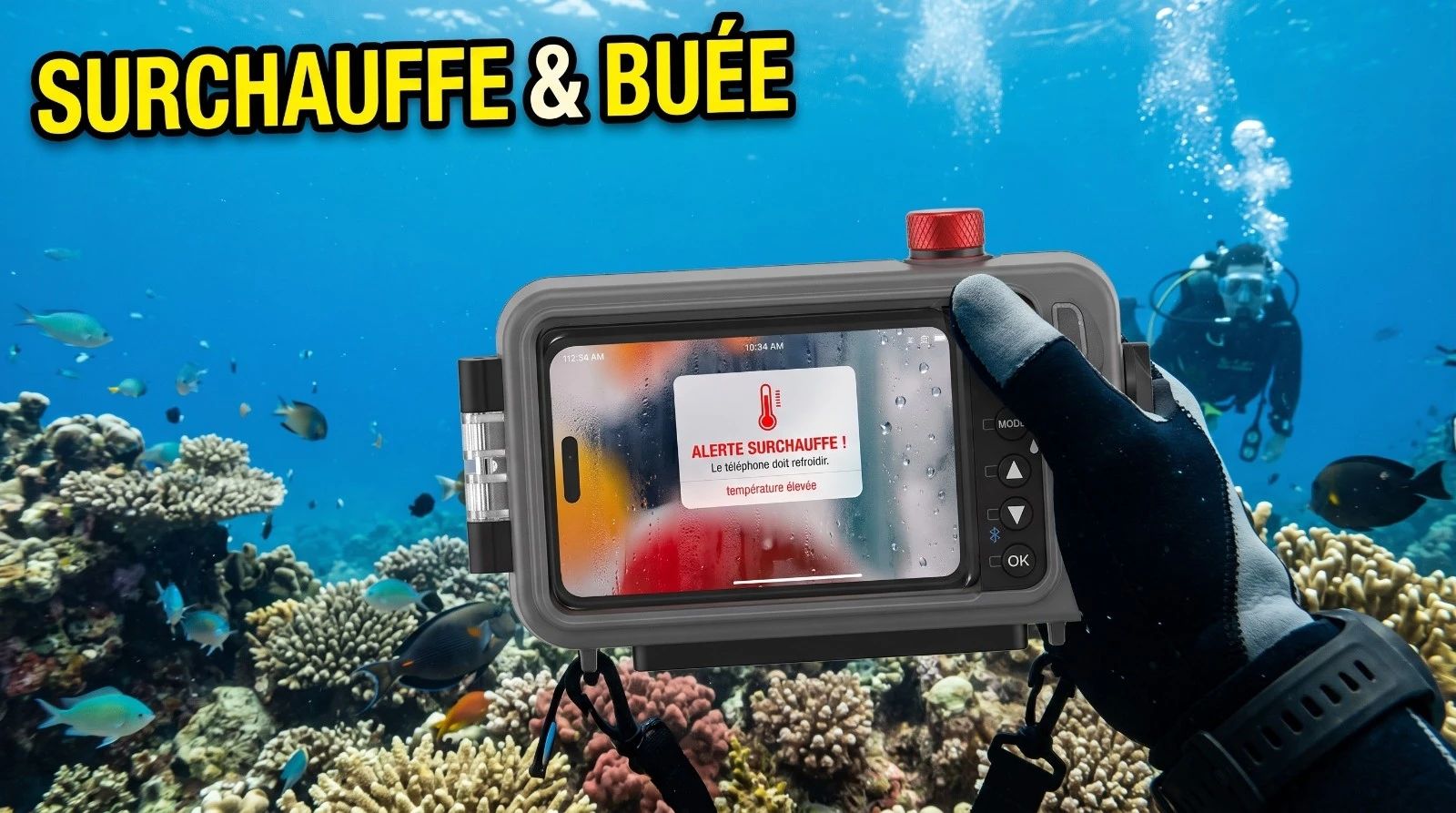
Why does fog form inside a sealed smartphone housing?
Fog appears when the warm and humid air trapped inside during sealing comes into contact with the housing window cooled by the outside water. The air reaches its dew point, instantly turning water vapor into microscopic liquid droplets on the window.
Why does the iPhone overheat faster when shooting video underwater?
A modern smartphone processor dissipates significant thermal energy, particularly during high-resolution recording like ProRes. Trapped in a plastic or polycarbonate housing, which acts as a powerful thermal insulator, this heat accumulates without escape, triggering the device's thermal security shutdown.
How can I prevent fogging and overheating of my smartphone underwater?
Always seal your housing in a dry, air-conditioned room, insert cellulose or silica desiccants along the sides of the phone, and record short, targeted clips rather than letting the camera run continuously.
It was last October, during a series of explorations in the cool waters of Zeeland. Visibility was superb, the autumn sun piercing the surface to draw perfect light beams onto the sandy bottom.
A student accompanied me to test his brand-new iPhone, slipped into a pristine, waterproof housing. He was eager to shoot in ProRes. After only three minutes of immersion, I saw him stop, perplexed, staring at his screen with disappointment.
A milky veil had blurred the center of his image, before the phone simply refused to cooperate, displaying a thermal warning message.
This scenario is far from exceptional. It is the daily reality for many divers who believe a waterproof housing is enough to capture the beauty of the underwater world. Yet, this is not a hardware defect, but pure thermodynamics.
The air trapped inside your housing obeys simple physical laws. Let us analyze these physical phenomena together to understand how to secure your footage.
The Fogging Mechanism: The Law of the Dew Point
To understand why fog forms, one must observe the invisible air trapped inside the housing. This air contains a variable amount of water vapor, measured as relative humidity. The warmer the air, the more water it can hold as gas. The colder the air, the less moisture it can retain.
When you seal your housing on the boat or the beach, you trap a volume of warm, humid air. As soon as you enter the water, the transparent wall of the housing cools down brutally upon contact with the liquid element.
The warm internal air, touching this cold window, undergoes a rapid drop in temperature. If it reaches the critical threshold known as the dew point, the water vapor instantly condenses into microscopic liquid droplets.
This is the exact same physical phenomenon as the fogging on your dive mask lens, which also requires meticulous preparation as I explain in my anti-fog dive mask guide.
Thermal Overheating: The ProRes Furnace
Modern smartphones possess processors of phenomenal computing power. Recording in very high resolution, especially in ProRes, demands colossal calculations that generate a continuous heat output of several Watts.
In open air, this energy dissipates into the atmosphere or through your hands. But once the phone is inserted into an underwater camera housing, it is enclosed in a polycarbonate box, a remarkable thermal insulator.
The internal temperature then quickly rises above 45°C. This intense heat causes the evaporation of residual moisture trapped in the phone case and its seals. This process, called desorption, saturates the internal air with moisture.
The housing becomes a miniature tropical sauna, ready to condense massively at the slightest drop in temperature on the front lens port.
The Contrast of the Seas: Cold Water vs. Warm Water
We often imagine that tropical destinations make life easier for photographers. In reality, a warm climate complicates the thermodynamic balance. Let us compare two extreme situations from my dive logs.
Cold Water Diving (Atlantic or North Sea)
Typical conditions: a mild but highly humid air at the surface (80% humidity), and 11°C water below the surface. Without precautions, the dew point of the trapped air sits around 15°C. Since the housing window drops to 11°C immediately underwater, condensation forms in less than a minute.
Conversely, if you use an effective desiccant, the dew point drops below -5°C. Fogging becomes physically impossible.
The cold exterior water cools the polycarbonate housing efficiently, preventing the smartphone from overheating. You can capture sequence after sequence without interruption.
Tropical Diving (Indonesia or Maldives)
Typical conditions: heavy air saturated with moisture (85% humidity) and warm surface water at 29°C. The trapped air is so humid that its dew point is 29°C. From the very first meter of the descent, the housing fogs up.
Using desiccant packets eliminates the fog. However, the warm water at 29°C can no longer dissipate the heat from the smartphone.
The interior of the housing transforms into a true furnace. After ten to fifteen minutes of continuous video recording, the smartphone triggers its software thermal security and cuts off the camera to protect its components.
The Field Protocol for Sharp Videos
To break these thermodynamic constraints and succeed with your footage, you must apply a rigorous method.
1. Use Appropriate Desiccant Inserts
Slip small desiccant inserts (silica gel or ultra-flat cellulose) along the sides of the smartphone before closing the housing. These chemical sponges capture ambient moisture and force the relative humidity of the internal air to drop below 15%.
2. Close the Housing in an Air-Conditioned Room
Never seal your housing on the exposed deck of a boat or on the hot sand of the tropics. Prefer the dry air of an air-conditioned hotel room or a dive center.
Air conditioning naturally dries the ambient air, which significantly reduces the workload of your desiccant packets.
3. Sequence Your Shots
A smartphone is not an action camera designed to run continuously for an hour. To preserve battery and limit heat generation, work in short clips of two to three minutes.
Cutting the recording between scenes allows the processor to cool down and avoids thermal shutdowns.