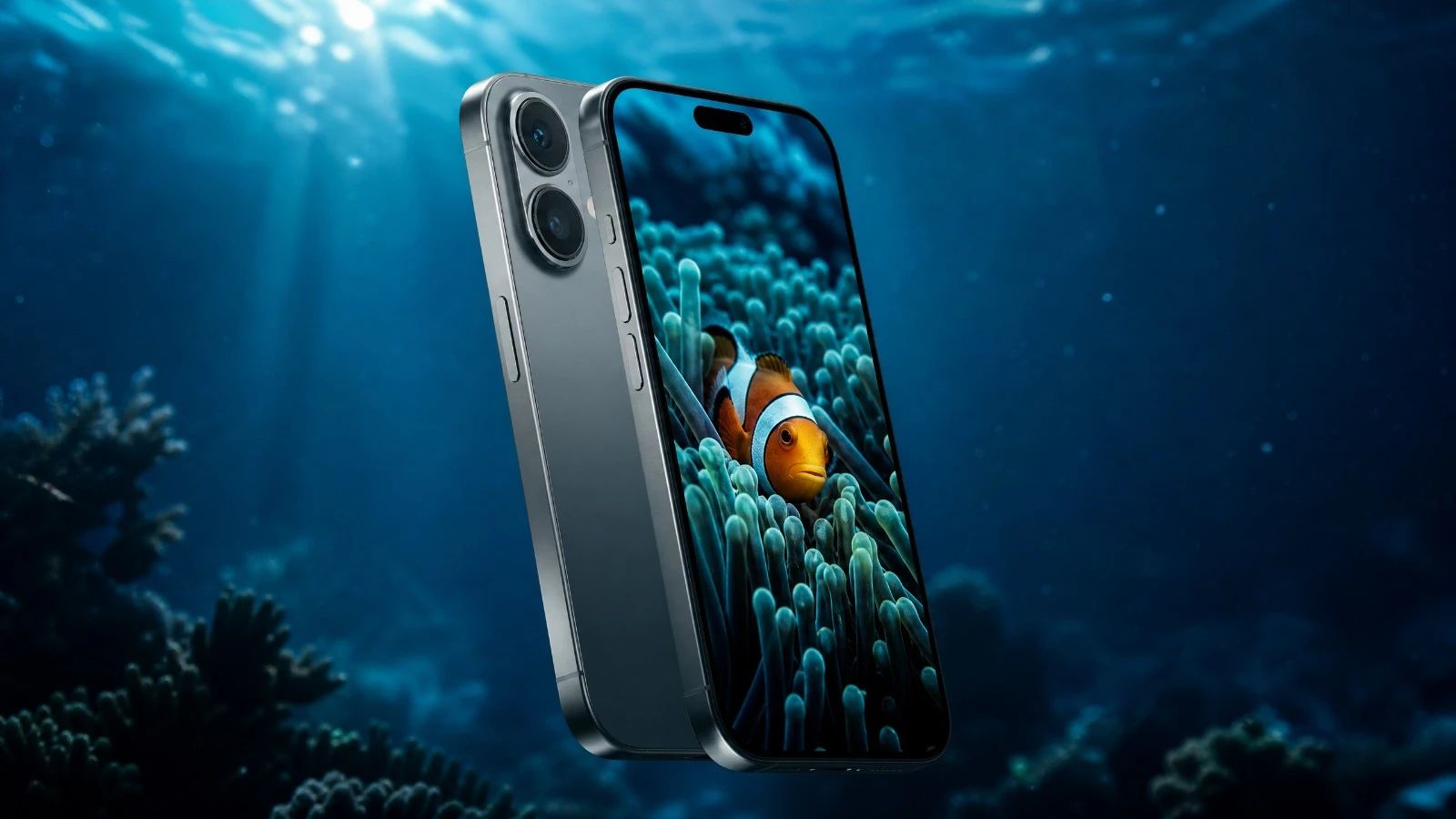
iPhone 16 scuba dive test: IP68 rating limits (20 ft / 6 m) vs 196 ft (60 m) in a housing. AquaExposure score 3.2/5, RAW workflow & Kraken, SeaLife, Divevolk guide.
Is it better to buy an iPhone 16 or an iPhone 16 Pro for underwater photography?
If you shoot serious video or regularly transfer large volumes of RAW files, the iPhone 16 Pro is worth the extra cost for its 10x faster USB 3.2 port and native ProRes. For natural light photos using an AirDrop workflow, the base iPhone 16 is a serious iOS entry point, now affordable on the used market.
Is the USB 2.0 speed on the iPhone 16 really a problem for underwater photography?
Yes, for a wired RAW workflow. Transferring 50 DNG files via USB-C cable takes about 12 to 15 minutes, compared to 90 seconds on an iPhone 16 Pro. The alternative is AirDrop: slower file-by-file but cable-free and sufficient between dives if you have 20 to 30 minutes. It's not a dealbreaker, but you should know it before buying.
Can you shoot RAW with the standard iPhone 16 underwater?
Yes, but not from the native Camera app, as ProRAW is reserved for Pro models. However, using the free Blackmagic Camera app, you can capture 10 or 12-bit DNG files with lockable manual Kelvin white balance, fully accessible from the Divevolk housing thanks to the touchscreen membrane.
Which housing fits the standard iPhone 16 for diving?
The Divevolk SeaTouch 4 Max Plus is the most versatile solution: certified to 196 ft (60 m), full touchscreen access (including Blackmagic Camera), and compatible with the iPhone 16 via a dedicated adapter. For divers who prefer physical buttons with integrated vacuum leak detection, the SeaLife SportDiver Ultra (130 ft / 40 m) and Kraken Sports KRH08 V2 (262 ft / 80 m) are premier US market choices.
Should I use an anti-fog treatment with this device?
Yes, absolutely. With its conductive aluminium chassis and vapor chamber heat dissipation, the risk of condensation in cold water (below 15°C/59°F) is high. Using an anti-fog treatment (fresh silica gel sachet or anti-fog inserts) inside the housing is mandatory before every dive. > Further reading: [Smartphone overheating and fogging in underwater housings: the physics explained](/blog/underwater-smartphone-condensation-overheating-physics) -- dew point, thermal management and silica gel protocol.
How can I quickly transfer my photos and videos from this device?
The wired port on this device is limited to the USB 2.0 standard, making physical transfers quite slow. To quickly offload your RAW files or video clips, it is highly recommended to use the fast wireless protocol of the ecosystem (AirDrop), or extract the memory card if the housing and device allow.
To learn how to get the most out of your gear underwater, discover the AquaExposure training.
The iPhone 16 was released in late 2024. Today, it represents an accessible iOS entry point for diving with access to Blackmagic Camera, 10-bit DNG, and universal underwater housings.
Before taking it into the water, understand its baseline protection. Apple advertises an IP68 rating certified up to 20 ft (6 m) for 30 minutes. This is a laboratory rating for accidental submersion in calm fresh water, not a diving certification. At 20 ft in salt water, currents and pressure cycles push past those limits, and a bare touchscreen becomes completely unresponsive under water. For real scuba diving or extended snorkeling, a certified underwater housing like the Divevolk SeaTouch 4 Max (rated to 196 ft / 60 m), the SeaLife SportDiver Ultra (rated to 130 ft / 40 m), or the Kraken KRH08 V2 (rated to 262 ft / 80 m) is essential.
Beyond water resistance, the base iPhone 16 is not a Pro. No LiDAR. No native ProRes. No physical telephoto lens. And above all: a USB-C port limited to USB 2.0 speeds, which makes wired RAW file transfers frustrating.
This test answers a concrete question: is this iPhone worth it for natural light underwater photography in 2026, considering its real limitations?
Solid 48MP main sensor, UWA with AF macro, but no physical telephoto
B2 - RAW & color
3.8/5
Blackmagic Camera 12-bit DNG, no native ProRes or Apple Log
B3 - Storage & transfer
1.8/5
USB 2.0: major bottleneck for wired RAW workflows
B4 - Thermals
3.5/5
Well-managed A18 chip, aluminium chassis with decent thermal sub-structure
B5 - Battery
3.2/5
3561 mAh, lasts a day, loses capacity in cold water
B6 - Autofocus
3.5/5
Dual-pixel PDAF + AI, no LiDAR, Focus Peaking via Blackmagic
B7 - Housing
3.0/5
Divevolk SeaTouch 4 Max Plus compatible, 196 ft (60 m), full touchscreen access
Built for: the diver wanting to enter the iOS ecosystem (Blackmagic Camera, DNG, AirDrop) without paying Pro prices, and who accepts an AirDrop transfer workflow instead of a wired one.
Not ideal for: RAW shooters wanting to dump 200 DNG files between dives via cable, video shooters who need ProRes or Apple Log, and those looking for a physical telephoto lens for distant subjects.
B1 - Optics: What Enters the Sensor
Score: 3.2/5
The iPhone 16 carries two lenses. The 48-megapixel main sensor (f/1.6, 1/1.56 inch) is the highlight. It is a good-sized sensor for a smartphone, with a bright aperture that helps in dark waters or under heavy cloud cover.
The ultra-wide lens (12 megapixels, f/2.2) benefits from a notable upgrade on the iPhone 16: autofocus is now active on this lens, enabling macro focus down to about 2 centimeters. On previous generations, the UWA was fixed focus.
The absence of a physical telephoto lens is the main limitation. The device offers a 2x zoom by cropping the 48MP sensor, resulting in about 12 useful megapixels. Functional, but not comparable to a 3x or 5x optical lens.
Going Deeper Main sensor: 48 MP, f/1.6, 26 mm, 1/1.56 inch, IBIS (sensor-shift OIS), dual-pixel PDAF UWA: 12 MP, f/2.2, 13 mm, 120 degrees, AF focus to about 2 cm (new on iPhone 16) Telephoto: 2x digital crop on 48MP sensor (12 MP useful) RAW burst: buffer saturated after about 15 to 20 fast shots via third-party app Shutter latency: 50 to 80 ms Sun flare and ghosting: still present despite the improved anti-reflective coating. Anticiplate this during surface dives with low sun.
The 2 cm macro via the UWA is a truly useful upgrade for nudibranchs, egg clutches, and small shrimps. It arrives one year earlier on the standard model compared to the iPhone 15 which lacked it.
B2 - RAW and Color: Blackmagic Compensates for Missing ProRes
Score: 3.8/5
This is the most nuanced criterion of this test.
The native Camera app does not offer ProRAW on the standard iPhone 16. Apple reserves this format for Pro models. Shooting from the native app only yields HEIF or JPEG.
The Blackmagic Camera app (free on iOS) changes the game. It allows capturing 10 or 12-bit DNG directly from the standard iPhone 16, with lockable manual Kelvin white balance. This is exactly what is needed to work on color in post-production after a dive.
What the iPhone 16 lacks, even via Blackmagic Camera: ProRes video, Apple Log 2, and ProRes RAW access. These formats are reserved for Pro models. For video, we stay on Dolby Vision 4K 60fps HEVC, which is already highly usable in natural light.
Going Deeper Native RAW photo (Camera app): absent. Reserved for Pro models. RAW photo via Blackmagic Camera: 10 or 12-bit DNG (yes) Lockable manual video white balance: yes, via Blackmagic Camera (Kelvin) Max video codec: HEVC / H.265 10-bit, Dolby Vision, 4K 60fps ProRes video: absent. Reserved for Pro models. Apple Log 2: absent. Color science: Photonic Engine (A18), Apple proprietary ISP without third-party color partnership. Useful third-party apps: Blackmagic Camera (video DNG + manual WB), Halide (photo DNG), ProCamera.
The fact that Blackmagic Camera is accessible from the Divevolk housing thanks to the full touchscreen membrane is the real strength of this setup for diving. This is what separates Divevolk from other housings that block access to third-party apps.
B3 - Storage: The Real Limit of the Standard iPhone 16
Score: 1.8/5
This is the most penalizing criterion of this test, and we must speak clearly about it.
The iPhone 16 is equipped with a USB-C port. But this port runs at USB 2.0 speed (480 Mbps nominal, or roughly 35 to 40 MB/s in practice). USB 3.2 Gen 2 at 10 Gbps is reserved for Pro models.
In concrete numbers: 50 DNG files of 25 MB each (roughly 1.25 GB total) take about 30 to 35 seconds to transfer via USB 3.2 on an iPhone 16 Pro. On the standard iPhone 16 via USB 2.0, the same operation takes about 30 to 35 minutes. That is a 1-to-60 ratio.
A complete dive session with 200 DNG files represents about 5 GB. Via USB 2.0 cable to a computer or external SSD, the transfer takes 20 to 30 minutes.
The practical workaround is AirDrop. Using direct Wi-Fi between the iPhone and a Mac, AirDrop transfers at about 50-90 MB/s depending on the wireless environment. 200 DNGs (5 GB) via AirDrop take 10 to 20 minutes. It's not instantaneous, but it is cable-free and sufficient on a boat or by the pool between dives.
Going Deeper Connector: USB-C, USB 2.0 speed (480 Mbps nominal, 35-40 MB/s practical) Internal storage: 128 GB, 256 GB, or 512 GB (about 15 to 20 GB consumed by iOS) No external card slot (no microSD) External SSD via USB-C: functional, but limited to USB 2.0 throughput (35-40 MB/s) AirDrop: 50 to 90 MB/s via direct Wi-Fi (Mac required). Viable workaround. Field calculation: 200 DNG (5 GB) via USB 2.0 cable = 20-30 min. Via AirDrop = 10-20 min. Video transfer: even more penalizing. A 10 GB 4K clip takes about 4 to 5 minutes over USB 2.0. This is not a dealbreaker if your workflow is organized (AirDrop on surface during lunch, not in a rush between dives). But on a liveaboard with 4 dives a day, it is a real constraint.
The A18 chip (built on second-generation 3nm process) is more thermally efficient than the A16 that powered the iPhone 14 Pro. Apple added an internal machined aluminium sub-structure to the iPhone 16 to improve heat dissipation, inherited from previous Pro models.
Under diving conditions, overheating is not the main thermal issue on an iPhone 16. The water naturally cools the housing and the device. The real thermal challenge is the opposite: condensation when moving from cold water to warm ambient air.
On the standard iPhone 16 (lacking the complex vapor chamber of recent Pro models), this risk is less pronounced than with the iPhone 17 Pro Max. The aluminium chassis remains conductive, but the standard model's simpler thermal mass makes it less subject to condensation-evaporation cycles in variable conditions.
[!CAUTION] Anti-buée obligatoire in cold water. The aluminium chassis remains conductive. Without silica gel, light to moderate condensation can appear below 15°C (59°F). The iPhone 16 is more tolerant than the iPhone 17 on this point (no vapor chamber), but the protocol remains necessary.
Tropical Overheat: without ProRes, the standard A18 chip runs cool. Software thermal shutoff occurs around 25 minutes of continuous 4K shooting in water at 28°C. For photos only, there is zero risk in normal conditions.
B5 - Battery: A Day of Diving, If You Believe
Score: 3.2/5
The iPhone 16 packs a 3561 mAh battery. This is about 10% more than the iPhone 15, and Apple advertises up to 22 hours of video playback. In active photo/video use, numbers are different.
A day of two 45-minute dives in active DNG photo mode (with Blackmagic Camera running continuously) consumes between 40% and 60% of battery depending on water temperature. In cold water (below 10°C / 50°F), Li-Ion batteries lose 30% to 40% effective capacity. In practice, a 3-dive day in cold water requires a 5,000 to 10,000 mAh external power bank.
Going Deeper Capacity: 3561 mAh Chemistry: Li-Ion Documented cycles: 1,000 cycles to 80% capacity (Apple statement, since iPhone 16) Declared runtime: up to 22 hours video playback Cold water behavior: 30% to 40% effective capacity loss below 10°C (typical of Li-Ion, not specific to iPhone) Field recommendation: 5,000 mAh power bank for days with 3 dives or more, especially in cold water.
Before each dive session, make sure your external battery is ready. Use our portable battery comparator to choose the right power bank for your housing and usage.
B6 - Underwater Autofocus: Dual-Pixel PDAF, No LiDAR
Score: 3.5/5
The standard iPhone 16 does not have LiDAR. The ToF LiDAR scanner remains a Pro exclusive at Apple. This does not mean the autofocus is bad.
The main sensor's dual-pixel PDAF covers the entire sensor area and offers fast acquisition, especially on slow-to-medium moving subjects (rays, moray eels, groupers). The Photonic Engine integrates AI subject recognition that helps lock onto fish.
What is missing in practice: the LiDAR's ability to maintain focus in turbid water, where suspended particles (backscatter) cause a purely optical autofocus to hunt. For murky waters (Atlantic, Mediterranean in autumn), this point is real.
The Blackmagic Camera app brings Focus Peaking for manual focus adjustments in video. The Action button (introduced on iPhone 16) can be programmed to trigger a specific function, which can ease operation inside the Divevolk housing.
Going Deeper AF technologies: dual-pixel PDAF (main sensor), Hybrid Pixels PDAF (UWA), Photonic Engine AI tracking LiDAR: absent (Pro exclusive) Focus Peaking: via Blackmagic Camera (video only) Turbid water hunting: real risk without LiDAR. Manual focus locking is recommended in low visibility. Measured AF latency: 50-80 ms (highly responsive in normal conditions) Action Button: programmable, can serve to trigger photos or start recording via the housing.
B7 - Housing: Divevolk SeaTouch 4 Max Plus
Score: 3.0/5
The Divevolk SeaTouch 4 Max Plus is compatible with the iPhone 16 via a dedicated adapter. The housing is certified to 196 ft (60 m). Its unique feature is the conductive SeaTouch gel membrane that allows using the iPhone touchscreen underwater, including third-party apps like Blackmagic Camera or Halide.
For divers who prefer electronic Bluetooth triggers with built-in moisture and vacuum monitoring, the SeaLife SportDiver Ultra (130 ft / 40 m) and Kraken Sports KRH08 V2 (262 ft / 80 m) offer rock-solid alternatives, though they utilize their own camera apps.
The 3.0/5 score reflects the fact that while housing access is good, the phone's limitations (no LiDAR, no ProRes) will not be compensated by the housing.
The Divevolk SeaTouch 4 Max Plus is the housing that unlocks the full potential of the iPhone 16 underwater. Direct access to the touchscreen allows using Blackmagic Camera at depth: setting Kelvin white balance, Focus Peaking, manual triggering. Without this housing, you are reduced to the native Camera app, which doesn't grant access to DNG.
The housing alone (without the iPhone) costs around €350 to €450. The dedicated iPhone 16 adapter is sold separately or included depending on the bundle. Check at the time of purchase.
Post-Dive Workflow (AirDrop or USB 2.0: Practical Advice)
The USB-C cable bundled with the iPhone 16 only gives you 35-40 MB/s. It is fine for charging. For transferring DNGs, avoid it if you have the choice.
The recommended strategy with this iPhone:
1During the dive, shoot in DNG via Blackmagic Camera (or HEIF for quick snaps).
2At the surface, enable AirDrop and transfer files to a Mac or iPad Pro (USB 3.2) during the debriefing or meal.
3The cable remains useful for quick charging between dives, or for overnight transfers without urgency.
If you don't have a Mac and want to transfer directly to an external SSD, the USB-C cable will work, but expect 20 to 30 minutes for 200 DNGs. It is doable, but needs planning.
Current Prices (July 2026)
New: - Apple Store France: from €859 (128 GB) - Source: Apple Store, July 2026 - Amazon.fr / Fnac: from €799 (128 GB, depending on promotions) - Source: Amazon.fr, July 2026
Used: - Back Market France: from €550 (128 GB, Premium grade) - Source: Back Market, July 2026. The used inventory is now well-supplied as the iPhone 16 has 2 years of market presence.
iPhone 16 vs iPhone 16 Pro for diving (is it worth the difference?)
The price difference between the 16 and the 16 Pro is about €300 new. On the used market, the gap is similar.
What the Pro brings extra for diving: - USB 3.2 Gen 2: 10x faster transfer (35 MB/s -> 500-800 MB/s) - LiDAR: better focus hold in turbid water - ProRes video and Apple Log 2: professional video workflow - Native ProRAW in the Camera app (no need for Blackmagic) - Physical 3x telephoto lens (48MP, f/2.8)
For photos in natural light and an AirDrop workflow, the base iPhone 16 covers the needs. For serious video, or for anyone wanting to transfer many files quickly, the Pro justifies the extra investment.
Our Verdict
3.2 out of 5. This is an honest score for what this iPhone is.
The base iPhone 16 is a solid iOS entry point for natural light underwater photography, provided you accept its limits. Running Blackmagic Camera on a touchscreen accessible at depth inside a Divevolk housing, with 12-bit DNG and Kelvin lockable white balance, is a setup that would have cost much more three years ago.
The real frustration of this test is the USB 2.0 port. This is not a hidden flaw. Apple acknowledges it. But for an underwater photographer coming back with 200 RAW files after a session, it is a 20 to 30-minute wait via cable at each transfer. With AirDrop, it's manageable. Without a Mac nearby, it is constraining.
If you are on Android or an older iPhone, a used iPhone 16 at €550 is a serious gateway into the iOS ecosystem for dive photography. If you can stretch to a 16 Pro (or a 17), the USB 3.2 alone is worth the budget difference.
Having the right gear is only half the battle. Manual focus, managing natural light at depth, approaching animals without disturbing them. these techniques must be learned, regardless of the phone you use.
The AquaExposure training is built around natural light underwater photography, compatible with all devices and housings, including this iPhone 16 and the Divevolk SeaTouch.